ELITE10
Get 10% off on your first order
How to Check a Hosting Provider in India: 5 Tests
Look past sales-page promises with five checks you can use to compare a VPS or hosting service before moving a real workload.
Use a test server you control, read the exact plan terms, and verify facility claims with the issuing organization.

Table of Contents
Quick answer
Before choosing a hosting provider, check the service you would actually buy—not just its marketing website. Compare a representative server under normal workload, inspect routes to your own users, ask exactly what DDoS protection covers, read the SLA and refund terms for that product, and verify any datacentre certificate at its issuer.
These checks do not certify a provider or guarantee future performance. Results depend on the plan, location, time, workload, network path, and contract. Run tests only on systems you own or have permission to assess, and avoid disruptive load tests on production services.
Before you test
Ask shortlisted providers for a temporary test server or choose a low-cost plan with clear cancellation terms. Record the plan name, region, CPU and RAM allocation, test date, and support answers so you can compare providers fairly.
Test the server IP or hostname provided for your plan, not the company's main website. A website may sit behind a CDN or use a completely different network and machine from your VPS.
Test 1: Check CPU allocation and contention
A “vCPU” is a virtual CPU allocation; its performance depends on the processor and how the host schedules physical resources. On a Linux test VPS, inspect the reported CPU with lscpu and check CPU steal time with top or vmstat 5 while your normal, representative workload is running. On Windows, use Task Manager or Performance Monitor alongside the workload you actually plan to run.
Steal time can indicate that a virtual machine was ready to use CPU but had to wait for the hypervisor. Interpret it over time, not from one snapshot: compare quiet and busy periods and look for a pattern alongside slow application response. High CPU use by your own workload is not by itself proof of overselling.
Do not run a stress test on a production server or shared environment without provider approval. If you have permission to benchmark your own disposable test instance, use a short, controlled test and stop if other services are affected. Ask the provider what “dedicated” or “non-overallocated” means in the exact plan terms.
Test 2: Inspect the network route to your users
From the test server, run a few routes to destinations relevant to your workload—for example your office connection, a customer region, or a service you use. Linux and macOS commonly provide traceroute; Windows provides tracert. For example: tracert 1.1.1.1.
Repeat at different times and compare latency and packet loss to the same destination. Missing hops are common because routers may not answer tracing probes. A traceroute is a diagnostic clue, not proof by itself that a host uses a particular transit carrier, exchange, or route for every packet. Ask the provider about upstream connectivity and peering if route choice matters to you.
For a game server, test from the networks where your players live. For a business application, test from employee or customer networks. A “Mumbai” or “India” location label alone does not establish a good route to every ISP.
Test 3: Get a precise answer about DDoS protection
Ask the provider: who supplies upstream mitigation, which service or IP is covered, which protocols and ports are protected, whether protection is enabled by default, and what happens during an attack. Clarify whether traffic is filtered or the IP may be null-routed, and ask how incidents are communicated.
“DDoS protected” can refer to different layers. Upstream network mitigation, a web application firewall, and game-specific filtering are not interchangeable. Ask the provider to map each layer to your plan and workload; do not launch or simulate an attack as a test.
Test 4: Read the SLA, refund policy, and service terms
Find the written policy for the product you intend to buy. Check what availability covers (network, hardware, or the full application), planned-maintenance exclusions, how to submit a claim, claim deadlines, service credits, hardware replacement targets, traffic limits, renewal prices, and cancellation rules.
Read the refund policy separately from the SLA. An advertised money-back guarantee may apply only to specific products or the first purchase, while VPS and dedicated services may have different eligibility. Keep a copy of the exact checkout offer and terms at purchase time.
For Elite Hosting, the published SLA names Minecraft, Minecraft Pocket Edition, and TeamSpeak services in its coverage section; it should not be assumed to cover VPS plans. The Refund & Cancellation Policy distinguishes game-server plans from VPS, dedicated, and custom services. Check both documents and the plan-specific checkout terms before ordering.
Test 5: Verify the datacentre and certificate claim
If a provider advertises a facility, certification, or tier rating, ask for the facility operator and exact site name. Search the certificate issuer's or certification body's own directory; confirm the standard or rating, validity period, and whether the named site is in scope. For example, an ISO certificate held by a datacentre operator is not automatically a certificate held by the hosting reseller.
Hosting companies commonly rent or colocate hardware in a third-party datacentre. That is normal; it is different from owning the building. For Elite Hosting deployments described as using Yotta facilities, confirm the specific site and service location with support, then check any facility certificate against the operator and issuer records. A facility certificate does not certify Elite Hosting's software, support, or every service process.
Also ask where backups and customer data are stored. The compute location alone does not tell you the location of monitoring, billing, support records, or backup copies.
Five-test checklist
| Test | Evidence to collect | Warning sign |
|---|---|---|
| CPU and resources | CPU model, workload results, and repeated steal-time observations | Unexplained contention or plan terms that contradict the sales claim |
| Network route | Repeated measurements to your actual user or service destinations | Promises of universally low latency without a route test |
| DDoS protection | Provider, scope, protocols, default status, and mitigation response | Only a generic “enterprise-grade” claim |
| SLA and terms | Product-specific coverage, exclusions, claims, refunds, and renewals | Assuming a badge or unrelated product SLA applies to your plan |
| Datacentre | Operator, exact site, current issuer record, and scope | A certification claim without a named site or verifiable record |
How to evaluate Elite Hosting
Start with the VPS plans and record the selected Basic or Premium tier, resources, price, location options, and any add-ons shown at checkout. The current VPS page lists AMD EPYC 7313 for Basic and AMD Ryzen 9 5900X for Premium, NVMe storage, automatic backups, and DDoS protection.
Elite Hosting describes layered protection involving OVH network-level DDoS protection, its own WAF for applicable web traffic, and Game DDoS protection for supported game traffic. These layers cover different use cases; ask which apply to your exact VPS IP, protocols, ports, and application. A web WAF or game-specific mitigation is not automatically protection for every VPS workload.
Ask support which Yotta facility your chosen service will use if location matters, and independently verify any site-level certificate with the facility operator and issuing organization. Do not describe a third-party facility certificate as Elite Hosting's own certification.
Before checkout, review the Terms of Service, SLA, Refund Policy, and Privacy Policy. The public SLA's listed coverage is for game services, so get written confirmation of any uptime commitment for VPS. If a detail is missing, ask through the contact page before relying on it.
Frequently asked questions
Can I test a provider without buying a server? Ask for a test IP or trial instance. If neither is available, check whether a short-term plan and its cancellation terms fit your evaluation.
Does traceroute prove a host has full internet transit? No. It shows a partial path for diagnostic purposes. Routes can hide hops or change, so combine repeated traces with provider disclosures and measurements to your own destinations.
What does CPU steal time mean? On Linux virtualization, steal time is time a virtual CPU was ready to run but did not get scheduled. Check it alongside workload, CPU model, and repeated observations; it is not a standalone verdict.
Does a datacentre ISO certificate certify the hosting provider? No. Check which legal entity, facility, site, and services the certificate covers. The host may be a customer of the certified facility rather than the certificate holder.
Does Elite Hosting's SLA cover VPS? The published SLA lists game server hosting, Minecraft Pocket Edition, and TeamSpeak in its coverage section. Confirm VPS coverage directly and review the service-specific checkout terms.
Does OVH network protection cover every application? Do not assume so. Ask which network-level protection applies to the selected service and how it works alongside any web or game-specific protection.
The bottom line
A credible hosting choice is one whose important claims can be checked: resources on a test server, routes to your users, a precise answer about mitigation, written product-specific terms, and a facility record you can verify. Apply the same checklist to every provider—including Elite Hosting—and choose based on evidence that matches your workload.
Excellent
4.8/5.0
107 Reviews
Discover the features that set Elite Hosting apart from the rest.
Our infrastructure, housed in top-tier data centers with the most reliable uplinks, allows us to offer our clients an impressive 99.9% uptime for their services.
We are dedicated to supporting you at all times. Our 24/7 Support Team is available to address any commercial or technical issues you may encounter.
your services are protected by enterprise-level security against DDoS attacks, with a capacity of up to 17Tbps, ensuring your services remain online seamlessly.
Immerse yourself in lightning-fast load times and seamless performance with NVMe storage technology, providing unparalleled speed and responsiveness.
Our hosting network is powered by high-performance AMD Ryzen 9 dedicated servers, delivering unparalleled game server performance.
We use Pterodactyl as our premium control panel for game servers. This user-friendly and efficient platform is ideal for managing any project.
With data centers around the world, we're always close to you.

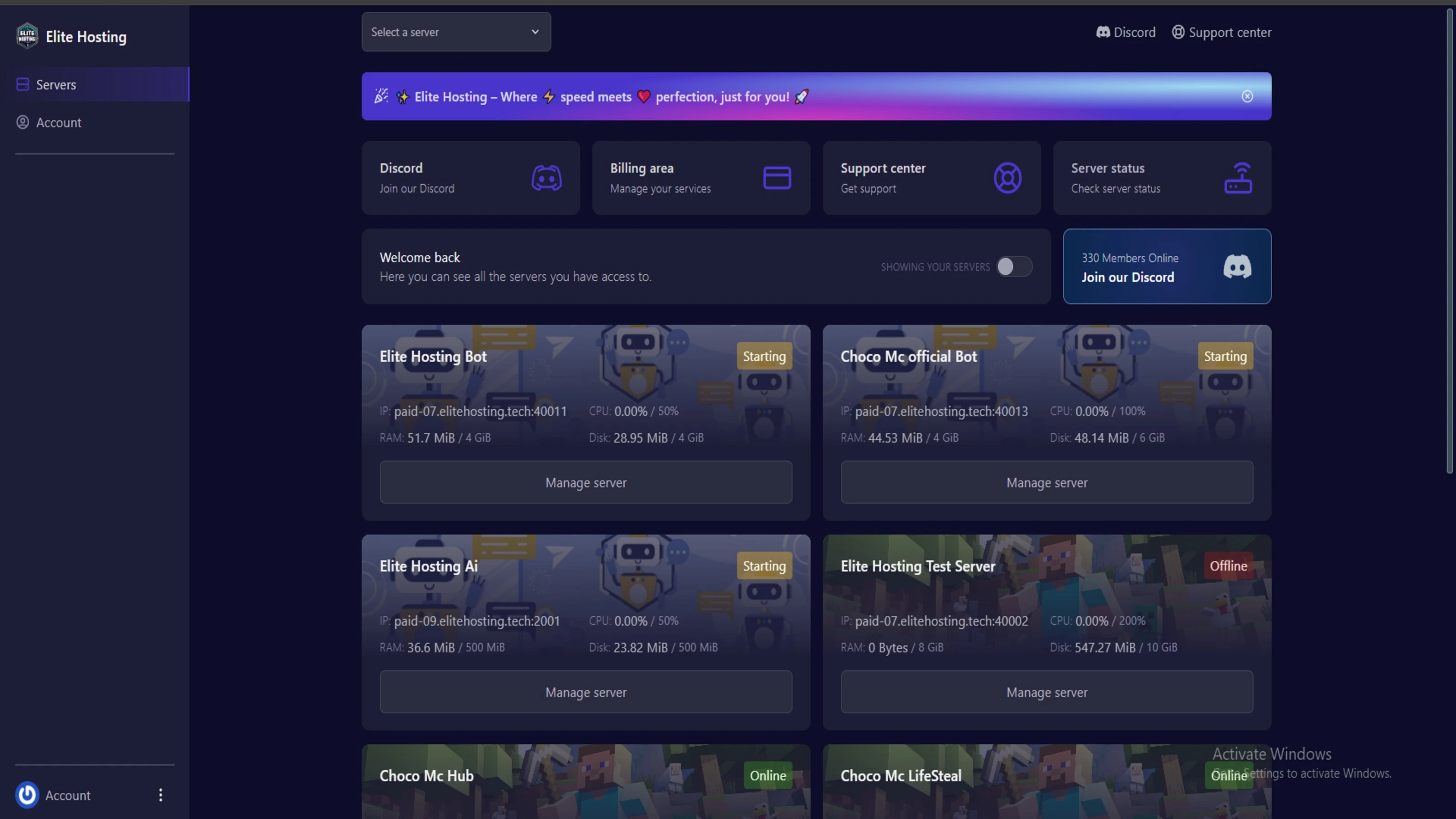
Experience Elite Hosting Control Panel
Pterodactyl is the premium panel used by us to control gaming services, offering our clients a user-friendly and efficient platform.
Frequently Asked Questions
Got questions? Check out these FAQs from our latest customers. If you need further assistance, explore our knowledge base or reach out to our support team.
We offer lightning-fast servers, 99.5% uptime, and low-latency connections with Global Location — ensuring smooth performance for your games and projects. Our platform is optimized for gamers, developers, and creators who demand speed, reliability, and scalability.
All our servers are deployed instantly after payment. You can start using your server within seconds. Our automated setup ensures no waiting time — just purchase, deploy, and play.
Absolutely! You can upgrade your plan anytime without losing your data. Your files, configurations, and backups remain fully intact during the upgrade process.
Yes! We take security seriously with Anti DDoS protection, regular backups, and encrypted connections. Your data and servers are always protected, giving you complete peace of mind while you focus on your projects.

Choose which cookies you want to allow. You can change these settings at any time.