ELITE10
Get 10% off on your first order
Forex VPS India With Static IP: Prices and MT5 Sizing
Compare published VPS plan prices, understand when a static IP matters, and choose resources for your MT5 workload.
Prices are from Elite Hosting's published VPS tiers, checked November 9, 2026. Confirm checkout totals, Windows licensing, and static-IP availability before ordering.

Table of Contents
Quick answer
A Forex VPS can keep MT4 or MT5 running when your home computer, power, or internet connection is unavailable. Elite Hosting's published VPS prices start at ₹800/month on Basic and ₹1,040/month on Premium for the Starter plan. For an MT5 setup, choose RAM and CPU based on the number of terminals, charts, indicators, and Expert Advisors you will actually run—not on a claim that one plan fits every trader.
Need a static IP for a broker allowlist, remote-access rule, or another specific requirement? Ask the provider to confirm that the assigned IPv4 is static, dedicated to your VPS, and will remain unchanged through reboots and renewals. Elite Hosting's public VPS listing does not explicitly state static-IP terms, so do not treat static addressing as confirmed until support verifies it in writing.
A VPS does not make a trading strategy profitable, guarantee order execution, or eliminate slippage. Test the route to your broker's actual server, confirm Windows licensing and taxes, and begin with a demo setup.
Do you need a static IP for MT5?
A static IP is a public address intended to stay assigned to your server. It can be useful if your broker lets you restrict account access to approved IP addresses, if your organization uses IP allowlisting, or if you need a consistent address for administration. Many traders running MT5 do not need to configure an IP allowlist at all; check your broker's actual security options first.
“Static,” “dedicated,” and “public” describe different things. A public IP is reachable over the internet; a dedicated IP is not shared with other customers; a static IP remains assigned over time. Ask which of these the plan provides, whether an IPv4 address costs extra, and what happens to it if you reinstall or change plans.
Never share broker credentials with a hosting provider or use an IP allowlist as your only security control. Use unique passwords, multi-factor authentication where available, and secure Remote Desktop access.
Forex VPS prices compared
This table compares Elite Hosting's public VPS tiers. Each price cell shows Basic / Premium monthly pricing. The public plan page lists AMD EPYC 7313 at 3 GHz for Basic and AMD Ryzen 9 5900X at 3.7 GHz for Premium. Prices, promotional codes, taxes, and available options can change; confirm the current total on the checkout page.
| VPS plan | vCPU | RAM | NVMe | Basic / Premium per month | CPU platform |
|---|---|---|---|---|---|
| Starter | 2 | 4 GB | 40 GB | ₹800 / ₹1,040 | EPYC 7313 / Ryzen 9 5900X |
| Basic | 4 | 8 GB | 80 GB | ₹1,600 / ₹2,080 | EPYC 7313 / Ryzen 9 5900X |
| Standard | 6 | 16 GB | 160 GB | ₹3,200 / ₹4,160 | EPYC 7313 / Ryzen 9 5900X |
| Premium | 8 | 32 GB | 320 GB | ₹6,400 / ₹8,320 | EPYC 7313 / Ryzen 9 5900X |
| Ultimate | 16 | 64 GB | 640 GB | ₹12,800 / ₹16,640 | EPYC 7313 / Ryzen 9 5900X |
| Enterprise | 32 | 128 GB | 1.28 TB | ₹25,600 / ₹33,280 | EPYC 7313 / Ryzen 9 5900X |
The site advertises code ELITE10 for 10% off a first order; eligibility and terms may apply. The plan page also lists automatic backups, 24/7 support, and DDoS protection. It does not specify backup frequency or retention, static-IP allocation, Windows Server license charges, or whether the advertised Game DDoS protection covers MT5/RDP traffic. Ask before purchase.
For an independent provider comparison, check current Windows VPS offers from providers such as OVHcloud, Contabo, Hostinger, Vultr, and MilesWeb. Compare equivalent RAM, CPU, Windows licensing, static IPv4, renewal price, taxes, bandwidth, backup policy, and broker-region latency. Their live prices and stock vary, so we have not treated unverified third-party prices as fixed quotes here.
MT5 VPS sizing guide
These are cautious starting points for evaluating a Windows MT5 workload, not guaranteed minimum requirements. Windows itself uses memory, and actual needs depend on terminals, chart count, indicators, EAs, history, monitoring, and other software.
| Typical workload | Plan to evaluate | Resources | Basic / Premium price |
|---|---|---|---|
| 1 terminal, few charts and light EA | Starter | 2 vCPU, 4 GB RAM | ₹800 / ₹1,040 |
| A few terminals or more indicators | Basic | 4 vCPU, 8 GB RAM | ₹1,600 / ₹2,080 |
| Several terminals, heavier EAs or monitoring | Standard | 6 vCPU, 16 GB RAM | ₹3,200 / ₹4,160 |
| Many concurrent terminals or other applications | Premium or higher | 8+ vCPU, 32+ GB RAM | From ₹6,400 / ₹8,320 |
Start with one terminal on a demo account and monitor CPU, memory, disk, and reconnect behavior during active market hours. If memory stays close to full or terminals become unresponsive, investigate the workload before upgrading. More vCPU or RAM cannot fix broker-side issues or guarantee faster fills.
Which VPS plan should you choose?
Starter: Consider it for a light, single-terminal setup after confirming that the selected Windows image has enough usable memory. Do not select solely by the ₹800 headline.
Basic: Gives more memory and CPU room for a few terminals, indicators, or background monitoring. It is a reasonable tier to test when Starter is tight, but benchmark your actual EAs first.
Standard or Premium: Consider these for multiple concurrent terminals, resource-heavy indicators, or additional Windows applications. Keep each trading environment isolated and secure.
Ultimate or Enterprise: These larger tiers may be relevant for many independent workloads, but larger capacity does not remove the need for application licensing, access controls, or recovery planning.
Basic and Premium are CPU/platform tiers: the page lists AMD EPYC 7313 at 3 GHz on Basic and AMD Ryzen 9 5900X at 3.7 GHz on Premium. Compare the total price for the exact plan and tier you intend to use.
Static IP, latency, and broker access
A fixed IP and low latency solve different problems. A static IP can make allowlisting practical; it does not make packets travel faster. Latency depends on the VPS location, the broker's actual server, routing, congestion, and the account server assigned to you. An India datacenter may not be the shortest route if your broker's platform server is elsewhere.
- Ask your broker whether it supports IP allowlisting and which address must be allowlisted.
- Get the VPS provider to confirm the assigned public IPv4 is static and whether it is dedicated or shared.
- After provisioning, measure latency to the actual broker endpoint from that VPS at different times.
- Test MT5 on a demo account and confirm the terminal reconnects properly after a planned reboot.
A ping result is not an execution guarantee. Volatility, liquidity, spread, order type, and broker execution all affect fills and slippage.
What to confirm before ordering
- Is a static public IPv4 included? Is it dedicated to this VPS, and does it stay assigned after a reboot, reinstall, or renewal?
- Which Windows Server edition is available, and is the license included or billed separately?
- Are listed prices Basic-tier or Premium-tier, and what is the final monthly total including tax and selected options?
- What do automatic backups cover? Ask about schedule, retention, storage location, restore steps, and fees.
- Does DDoS protection cover this VPS and RDP/trading traffic, or only game-related services?
- What is the server region, upgrade process, maintenance notice, and support scope?
Setting up MT5 on a Forex VPS
- Confirm broker terms, supported Windows version, VPS location, static-IP status, and complete price before ordering.
- Connect through Remote Desktop, change initial credentials, and use separate secure accounts where appropriate.
- Download MT5 from your broker or the official MetaTrader source and sign in using the broker's recommended process.
- Transfer trusted EAs and settings securely. Avoid unknown executables and do not save broker credentials in plaintext scripts.
- Run the setup on a demo account, test notifications and restart behavior, and monitor resource usage.
- Keep a separate backup of configuration files and document how to reconnect if the VPS or IP changes.
This guide is about hosting and system configuration, not investment advice. Follow your broker's security rules and applicable requirements for your trading activity.
Frequently asked questions
Does Elite Hosting guarantee a static IP? The public VPS page does not explicitly state static-IP allocation or terms. Confirm in writing whether the IPv4 is static, dedicated, and retained after plan changes before ordering.
How much does an MT5 VPS cost at Elite Hosting? The published Starter plan begins at ₹800/month on Basic or ₹1,040/month on Premium. Higher plans have separate Basic and Premium prices shown in the comparison above. Confirm taxes, Windows licensing, and options at checkout.
How much RAM do I need for MT5? A 4 GB plan can be a starting point for one light terminal, while several terminals or indicators may need 8 GB or more. Test your own setup before moving a live account.
Will a static IP reduce latency? No. Static addressing can support allowlisting, but latency is about the route between your VPS and broker server. Measure it from the provisioned server.
Does Game DDoS protection protect an MT5 VPS? Do not assume it does. Ask whether the service covers the VPS IP and Remote Desktop or broker traffic.
Can a VPS prevent trading losses or slippage? No. A VPS can help keep software online, but it cannot guarantee uptime, execution, profits, or a particular fill price.
Final verdict
Pick a Forex VPS by the real needs of your MT5 setup: required static-IP behavior, measured broker route, enough Windows resources, license cost, renewal price, and tested recovery. Elite Hosting's published plan ladder runs from Starter at ₹800 / ₹1,040 monthly to Enterprise at ₹25,600 / ₹33,280 for Basic / Premium. Static-IP and Windows licensing details are not explicit on the public listing, so get those confirmed before purchase. Begin with a demo terminal and never treat hosting as a trading-risk safeguard.
See the Elite Hosting VPS plans or our Forex VPS setup guide for related information.
Excellent
4.8/5.0
107 Reviews
Discover the features that set Elite Hosting apart from the rest.
Our infrastructure, housed in top-tier data centers with the most reliable uplinks, allows us to offer our clients an impressive 99.9% uptime for their services.
We are dedicated to supporting you at all times. Our 24/7 Support Team is available to address any commercial or technical issues you may encounter.
your services are protected by enterprise-level security against DDoS attacks, with a capacity of up to 17Tbps, ensuring your services remain online seamlessly.
Immerse yourself in lightning-fast load times and seamless performance with NVMe storage technology, providing unparalleled speed and responsiveness.
Our hosting network is powered by high-performance AMD Ryzen 9 dedicated servers, delivering unparalleled game server performance.
We use Pterodactyl as our premium control panel for game servers. This user-friendly and efficient platform is ideal for managing any project.
With data centers around the world, we're always close to you.

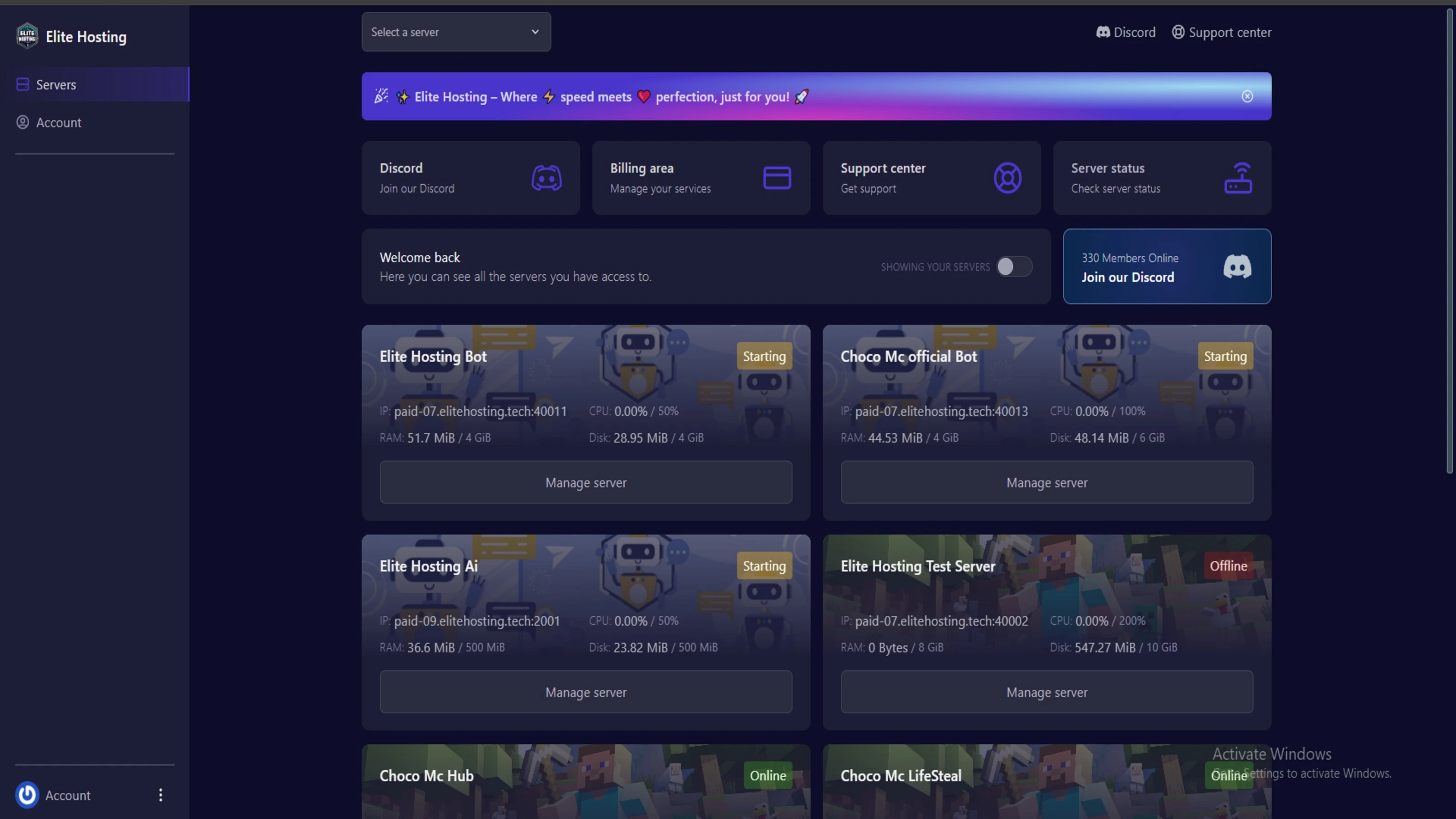
Experience Elite Hosting Control Panel
Pterodactyl is the premium panel used by us to control gaming services, offering our clients a user-friendly and efficient platform.
Frequently Asked Questions
Got questions? Check out these FAQs from our latest customers. If you need further assistance, explore our knowledge base or reach out to our support team.
We offer lightning-fast servers, 99.5% uptime, and low-latency connections with Global Location — ensuring smooth performance for your games and projects. Our platform is optimized for gamers, developers, and creators who demand speed, reliability, and scalability.
All our servers are deployed instantly after payment. You can start using your server within seconds. Our automated setup ensures no waiting time — just purchase, deploy, and play.
Absolutely! You can upgrade your plan anytime without losing your data. Your files, configurations, and backups remain fully intact during the upgrade process.
Yes! We take security seriously with Anti DDoS protection, regular backups, and encrypted connections. Your data and servers are always protected, giving you complete peace of mind while you focus on your projects.
Choose which cookies you want to allow. You can change these settings at any time.