ELITE10
Get 10% off on your first order
VPS vs Shared Hosting India 2026 — Complete Comparison Guide
Know when shared hosting is enough, what a VPS actually changes, and how to compare the full cost and responsibility.

Table of Contents

Quick answer: VPS or shared hosting?
Shared hosting is usually the right starting point for a new, low-traffic website: it is simple to operate and the host manages most server-level work. Consider a VPS when you can identify a recurring limitation—resource throttling, poor response under load, missing software controls, or a need for isolation that your shared plan cannot meet.
A VPS allocates virtual CPU, memory, and storage to your instance and gives you more control, but it also gives you more responsibility. It does not automatically make a site faster, immune to noisy-neighbour effects, secure, or better ranked by Google. Application configuration, resource policy, support, caching, and server administration still matter.
Elite Hosting lists VPS plans from ₹800/month, with AMD EPYC 7313 configurations, NVMe storage, OVH network-level DDoS protection, its own WAF for applicable web traffic, and Game DDoS protection for supported game traffic. Compare those features against your workload and verify the precise protection and management terms before buying.
What shared hosting actually is
Shared hosting places multiple customer websites on the same physical server or hosting platform. The provider manages the operating system, web server, database service, and account controls, then sells each customer a constrained plan. This shared model keeps costs and maintenance effort low, which is why it works well for many small sites.
Depending on the provider, accounts may share CPU capacity, memory pools, storage systems, database infrastructure, and network interfaces. Providers typically apply per-account limits, but the exact isolation and enforcement differ. Ask what your plan guarantees and what happens when you hit its CPU, entry-process, memory, I/O, or inode limits.
Shared IP addresses are also common. A dedicated IP is not automatically required for a website, but email reputation, TLS setup, and application requirements should be understood. For email deliverability, use a properly configured sending service and authentication records rather than assuming a VPS IP alone solves the problem.
Resource sharing is not itself a flaw. It is a tradeoff: lower cost and less administration in exchange for limits on configuration, isolation, and predictable resource access.
What a VPS actually changes
A VPS runs on a virtualized host and receives a defined configuration such as vCPU, RAM, and disk. With a VPS you commonly gain:
- More control over the operating system, web server, PHP runtime, and installed packages.
- Configurable database, object cache, queues, scheduled jobs, and server-level caching.
- More predictable resource boundaries than a basic shared plan, subject to the provider's allocation and oversubscription policy.
- Administrative access and the option to run multiple sites or services if the plan has enough capacity.
- Greater responsibility for updates, firewall rules, backups, monitoring, and disaster recovery.
“Dedicated vCPU” and “isolated” can mean different things between products. Confirm whether CPU is shared or reserved, whether sustained usage is limited, what virtualization is used, and which storage I/O limits apply. A VPS can still share a physical host and its uplinks with other customers.
Eight signs your site may have outgrown shared hosting
- Slow response persists after optimization: Measure TTFB and server timings after caching, image optimization, and plugin cleanup. A slow response is a clue, not proof that hosting is the cause.
- Resource-limit alerts recur: CPU throttling, process caps, memory limits, or I/O warnings in the host dashboard show where your plan is constrained.
- Database errors appear during ordinary usage: Check application logs and provider limits before migrating; a query bug or credential issue can produce similar symptoms.
- Traffic spikes cause errors: Repeated 503s or timeouts under predictable campaigns suggest the current plan or application needs capacity testing.
- WooCommerce checkout struggles: Cart and checkout are dynamic. Confirm caching exclusions and database capacity before adding resources.
- You need server-level configuration: Custom services, worker processes, Redis, or a specific PHP extension may require VPS access.
- Support cannot resolve a plan limitation: Review the plan caps and ask the host about upgrades, managed VPS, or a migration path.
- You need stronger separation or operational control: A VPS can give more control, but only if you can securely administer it or pay for management.
Monthly visitor count alone is a poor migration trigger. A cached static site may serve far more visits on shared hosting than a plugin-heavy store with fewer simultaneous checkouts. Use logs, load tests, and resource graphs to identify the bottleneck first.
Performance and control: shared hosting vs VPS
| Area | Shared hosting | VPS |
|---|---|---|
| Resources | Plan limits; resources are managed within a shared platform | Virtual CPU, RAM, and storage allocation; host contention may still exist |
| Server access | Control panel and provider-supported features | Often root/admin access and configurable software stack |
| Management | Provider handles most server maintenance | Self-managed unless a management service is included |
| Scaling | Move between provider-defined shared tiers | Resize or migrate, depending on provider and plan policy |
| Isolation | Account-level limits and platform controls vary by host | Virtualized separation; physical host and network can remain shared |
| Performance | Depends on plan caps, server load, and application setup | More configurable; outcome depends on allocation, stack, and tuning |
| Best fit | New sites, small blogs, simple brochure sites | Sites needing control, measurable headroom, or custom services |
Benchmark with the same page, cache state, region, and test method. TTFB varies with route, cache hits, database state, and visitor location; a single speed-test result does not establish expected production performance.
Cost comparison: shared hosting renewal vs VPS
Compare renewal prices and included services, not only a first-term promotion. The amounts below are examples from the supplied material or current Elite Hosting plan data; competitor offers change and should be confirmed at checkout.
| Hosting option | Indicative monthly cost | What to compare |
|---|---|---|
| Entry shared hosting | ₹300–₹700 | Intro vs renewal price, CPU/process/I/O limits, backups, support |
| Premium shared plans | Varies by provider; often increases at renewal | Visit caps, storage, PHP workers, resource limits, included management |
| Elite Hosting VPS-STARTER | ₹800 | 2 vCPU, 4 GB RAM, 40 GB NVMe; management and add-ons |
| Elite Hosting VPS-BASIC | ₹1,600 | 4 vCPU, 8 GB RAM, 80 GB NVMe; suitable sizing depends on workload |
The VPS invoice is not the full cost of ownership if you need a system administrator, a control panel, backups, email delivery, monitoring, or paid application licenses. Shared hosting may include management and support that would otherwise become your responsibility. Add those costs before comparing plans.
Security: shared hosting vs VPS
Both hosting types can be secure when correctly configured and maintained. On shared hosting, the provider manages most server patching and account isolation, while you still manage your application, plugins, passwords, and backups. On a VPS, you gain more control but must actively secure the operating system and services.
| Security task | Shared hosting | VPS responsibility |
|---|---|---|
| OS and web stack updates | Typically provider-managed | Provider or customer, depending on managed service terms |
| Application security | You update CMS, plugins, themes, and credentials | Same application duties, plus server configuration |
| Firewall and exposed ports | Provider-controlled platform rules | Configure and audit firewall rules and public services |
| Backups and restore | Check retention and restore scope | Configure independent backups and test recovery |
| DDoS coverage | Depends on plan and provider policy | Confirm upstream/network service and covered protocols |
Elite Hosting describes a layered protection setup: OVH network-level DDoS protection, its own WAF for applicable web traffic, and Game DDoS protection for supported game traffic. A web WAF and game-traffic protection do not automatically cover every VPS protocol or application. Confirm the scope for your plan and keep application security and backups in place.
Who should stay on shared hosting — and who should move?
Stay on shared hosting when:
- Your site is new or low traffic, and current measurements show no recurring resource limits.
- It is mostly static or informational, with no complex background work or checkout workload.
- You prefer provider-managed server operations and do not have budget for VPS administration.
- The shared plan includes the support, backup, and controls you need at a clear renewal price.
Consider a VPS when:
- Your dashboard or logs show repeated resource caps that the provider cannot resolve on your current tier.
- A WooCommerce site or application needs more predictable capacity and has been load-tested.
- You require root access, custom services, specific PHP/database settings, or scheduled workers.
- Downtime or performance under peak load has a measurable business cost and you have an operations plan.
If you need VPS resources but not server administration, compare managed VPS or managed WordPress services. Paying for management can be cheaper and safer than learning server operations during an outage.
Elite Hosting VPS options for Indian sites
Elite Hosting's public Basic VPS lineup lists AMD EPYC 7313 configurations and NVMe storage. Plans range from 2 vCPU and 4 GB RAM at ₹800/month to 32 vCPU and 128 GB RAM at ₹25,600/month. Plan details and pricing can change; verify the live product page for CPU allocation, operating system, traffic policy, backups, and renewal terms.
| Plan | vCPU | RAM | NVMe | Basic price/month |
|---|---|---|---|---|
| VPS-STARTER | 2 | 4 GB | 40 GB | ₹800 |
| VPS-BASIC | 4 | 8 GB | 80 GB | ₹1,600 |
| VPS-STANDARD | 6 | 16 GB | 160 GB | ₹3,200 |
| VPS-PREMIUM | 8 | 32 GB | 320 GB | ₹6,400 |
| VPS-ULTIMATE | 16 | 64 GB | 640 GB | ₹12,800 |
| VPS-ENTERPRISE | 32 | 128 GB | 1.28 TB | ₹25,600 |
View Elite Hosting VPS plans and compare the plan configuration to your measured workload. OVH network-level protection, WAF, and Game DDoS protections apply to different traffic types; ask support which service covers the application you plan to host.
How to migrate from shared hosting to a VPS
- Inventory the site: Record domains, DNS, PHP version, extensions, databases, cron jobs, email, SSL, plugins, and external integrations.
- Choose the right VPS model: Decide whether you will self-manage or pay for server management, and confirm backup and support terms.
- Back up everything: Export site files and databases, and verify that the archive is complete before making changes.
- Build a staging copy: Configure the web stack, database, TLS, caching, firewall, and monitoring; migrate and test without changing public DNS.
- Test key workflows: Check forms, login, search, email, redirects, scheduled jobs, payments, and WooCommerce checkout in a safe test mode.
- Plan the DNS cutover: Lower TTL ahead of time if appropriate, schedule the change, and keep the old host active as a rollback option.
- Monitor after launch: Check logs, error rates, resource use, certificates, and real-user performance after DNS begins resolving to the new server.
- Retire the old service only after validation: Keep a verified backup and confirm all DNS and email records before cancelling the previous plan.
Migration commands and stack configuration vary by operating system and application. If you are not comfortable securing Linux and maintaining the web stack, use a managed VPS or a qualified administrator rather than copying commands into production without review.
Frequently asked questions
Is VPS always better than shared hosting? No. A VPS offers more control and defined virtual resources, but shared hosting can be better value for a small site when its limits are not causing problems and managed operations matter.
How much does VPS hosting cost in India? Elite Hosting's Basic VPS page lists a starting price of ₹800/month for 2 vCPU, 4 GB RAM, and 40 GB NVMe. Add management, backup, control panel, Windows license, and other options to calculate your actual total.
Will moving to a VPS automatically make my site faster? No. A VPS can remove some shared-plan constraints, but software, caching, database queries, page weight, and route quality still affect performance. Measure before and after migration.
Can I manage a VPS without Linux experience? Basic panel tasks may be simple, but updates, firewalls, web services, backups, and incidents require server knowledge. Choose managed services or administration help if you lack that experience.
Is VPS hosting more secure? It can provide more isolation and control, but security depends on configuration and maintenance. An unpatched or misconfigured VPS can be less secure than a well-managed shared account.
What DDoS protection does Elite Hosting use? Elite Hosting uses OVH network-level DDoS protection alongside its own WAF for applicable web traffic and Game DDoS protection for supported game traffic. Confirm the exact coverage for your plan, domain, ports, and protocols.
What is the difference between VPS and cloud hosting? “Cloud VPS” and “VPS” product definitions vary. Compare the actual architecture, resource guarantees, scaling behavior, region, backups, billing, and support rather than relying on the label.
Is shared hosting suitable for WooCommerce? It can work for a small store if its limits and checkout performance are adequate. Test concurrent transactions and plan for backups, security, payment-provider dependencies, and seasonal demand.
Conclusion
Shared hosting is a sensible starting point, not a failure. Move to a VPS when measured limits or needed server controls justify the added cost and operational work. Check resource policies, renewal prices, management, backups, support, and security coverage before comparing plans.
Elite Hosting lists VPS plans from ₹800/month with AMD EPYC 7313 configurations and NVMe storage, plus OVH network-level DDoS protection, its own WAF for applicable web traffic, and Game DDoS protection for supported game traffic. Verify current plan details and the scope for your site before migrating.
About the Author
Excellent
4.8/5.0
107 Reviews
Discover the features that set Elite Hosting apart from the rest.
Our infrastructure, housed in top-tier data centers with the most reliable uplinks, allows us to offer our clients an impressive 99.9% uptime for their services.
We are dedicated to supporting you at all times. Our 24/7 Support Team is available to address any commercial or technical issues you may encounter.
your services are protected by enterprise-level security against DDoS attacks, with a capacity of up to 17Tbps, ensuring your services remain online seamlessly.
Immerse yourself in lightning-fast load times and seamless performance with NVMe storage technology, providing unparalleled speed and responsiveness.
Our hosting network is powered by high-performance AMD Ryzen 9 dedicated servers, delivering unparalleled game server performance.
We use Pterodactyl as our premium control panel for game servers. This user-friendly and efficient platform is ideal for managing any project.
With data centers around the world, we're always close to you.

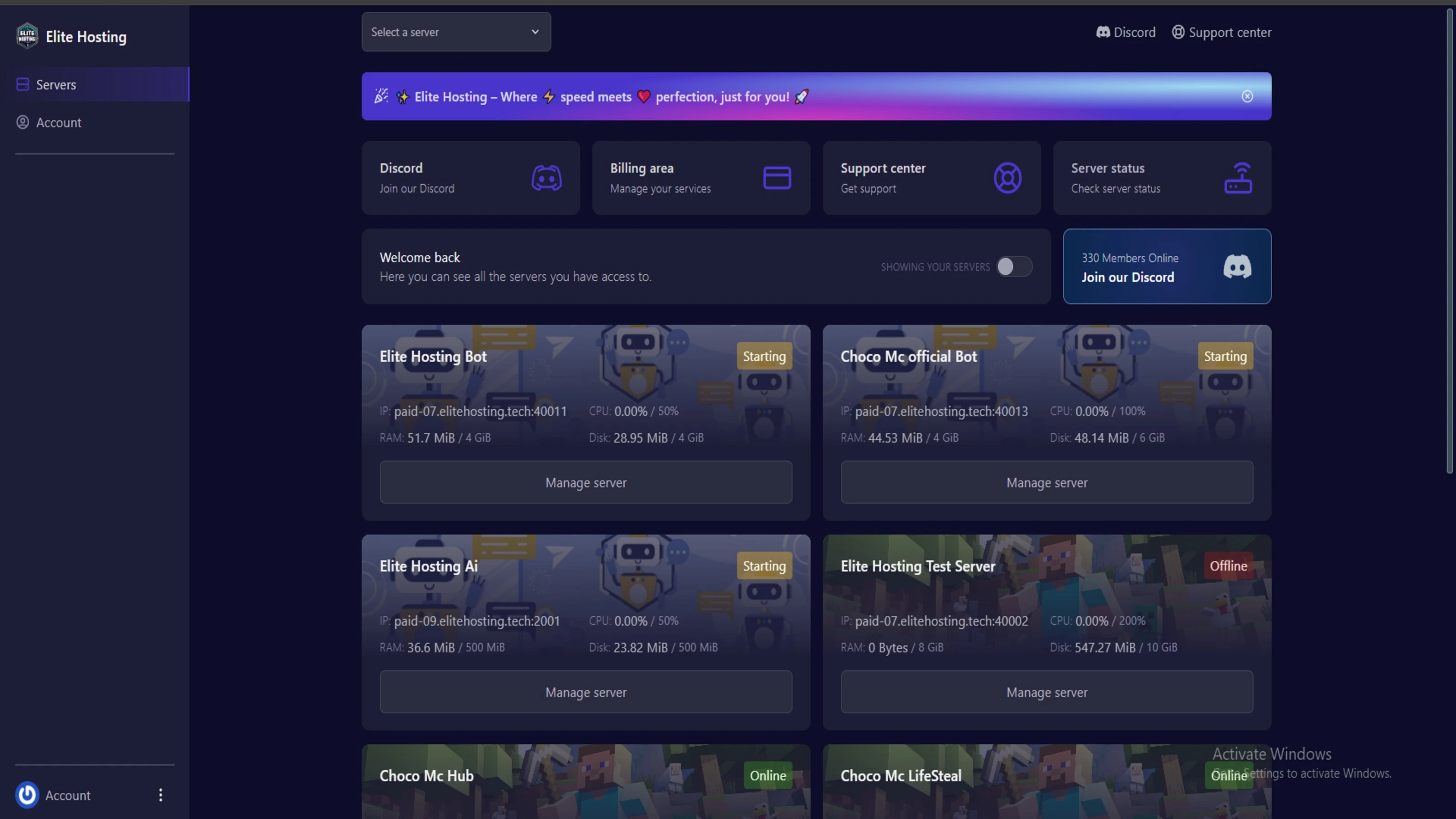
Experience Elite Hosting Control Panel
Pterodactyl is the premium panel used by us to control gaming services, offering our clients a user-friendly and efficient platform.
Frequently Asked Questions
Got questions? Check out these FAQs from our latest customers. If you need further assistance, explore our knowledge base or reach out to our support team.
We offer lightning-fast servers, 99.5% uptime, and low-latency connections with Global Location — ensuring smooth performance for your games and projects. Our platform is optimized for gamers, developers, and creators who demand speed, reliability, and scalability.
All our servers are deployed instantly after payment. You can start using your server within seconds. Our automated setup ensures no waiting time — just purchase, deploy, and play.
Absolutely! You can upgrade your plan anytime without losing your data. Your files, configurations, and backups remain fully intact during the upgrade process.
Yes! We take security seriously with Anti DDoS protection, regular backups, and encrypted connections. Your data and servers are always protected, giving you complete peace of mind while you focus on your projects.

14 min read • Rohit Kushwah

15 min read • Rohit Kushwah

16 min read • Rohit Kushwah
Choose which cookies you want to allow. You can change these settings at any time.