ELITE10
Get 10% off on your first order
Minecraft Network Hosting India 2026 — BungeeCord, Velocity & Waterfall Complete Guide
Design a multi-mode Minecraft network with the right proxy, protected backends, and realistic resource planning.

Table of Contents
Quick answer
A Minecraft network uses a proxy such as Velocity or BungeeCord to connect players to separate backend servers: a lobby, Survival, SkyBlock, PvP, or other modes. This allows mode switching without a fresh manual connection and separates workloads, but it adds configuration, security, monitoring, and backup responsibilities.
For a new network, Velocity is a strong default when your plugins support it; BungeeCord can still fit legacy plugin requirements. Waterfall is a legacy option, so check its current maintenance and migration guidance before using it for a new deployment. Elite Hosting lists Minecraft plans from ₹240/month and infrastructure using AMD EPYC 7313. Its protection stack includes OVH network-level DDoS protection, a WAF for applicable web traffic, and Game DDoS protection for supported Minecraft traffic. Verify plan resources and protection scope before launch.
ChocoMC at play.chocomc.in is associated with creator ChocoNoob. Network modes, player counts, and access details change over time; consult current official announcements for live information.
What is a Minecraft network, and when do you need one?
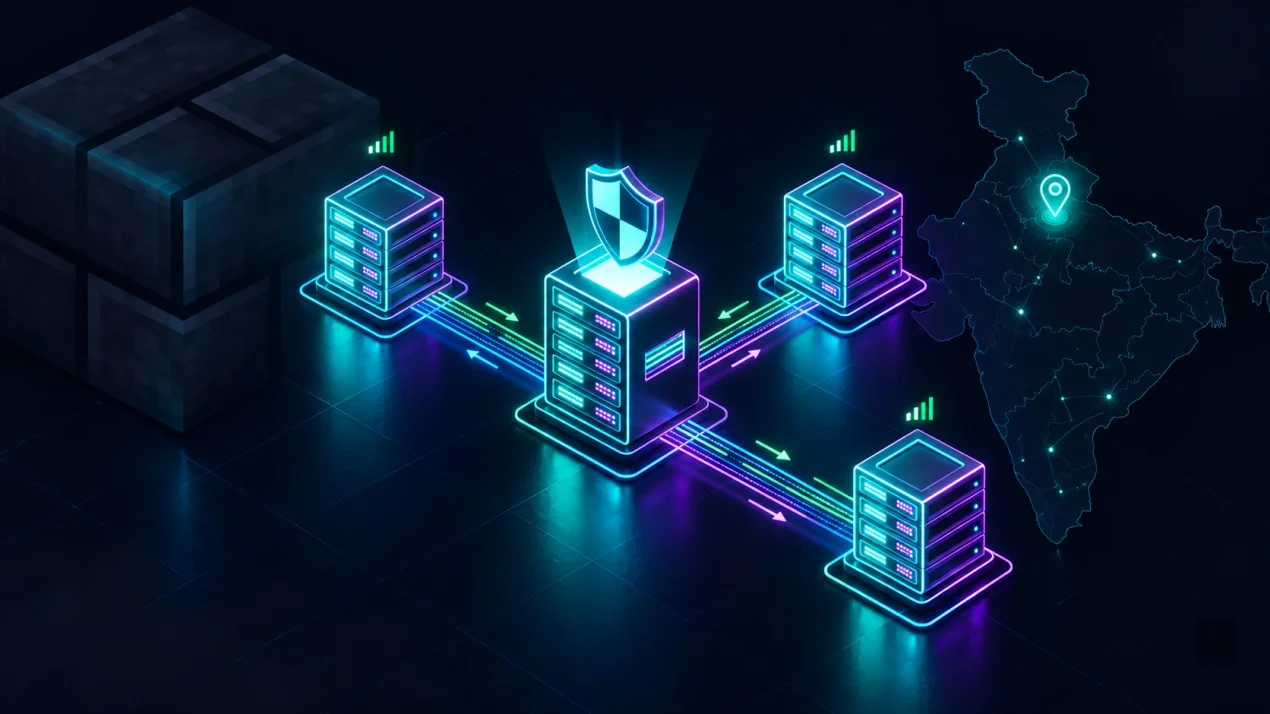
A Minecraft network is multiple server processes connected through a proxy layer. The proxy accepts public player connections and routes them to backend servers. A common starter layout is:
Players
  |
  v
Velocity proxy (public entry point)
  |-- Lobby backend
  |-- Survival backend
  -- SkyBlock backend
| Area | Single server | Proxy network |
|---|---|---|
| Game modes | Usually one primary mode or a multiworld setup | Separate lobby and backend modes |
| Scaling | Limited by one process's resources and game design | Add or resize backend instances as the design requires |
| Failure impact | A server failure affects the full game service | A backend failure can be isolated, but the proxy may remain a shared dependency |
| Operations | One process and configuration to maintain | Proxy plus multiple backends, secrets, ports, plugins, and backups |
Consider a network when you need genuinely separate modes, independent backend configuration, a lobby, or per-mode maintenance. If you only run one survival world, a single well-configured Paper server is usually simpler and avoids proxy overhead.
BungeeCord vs Velocity vs Waterfall
Choose a proxy based on the plugins you need, supported Minecraft versions, security configuration, and maintenance status. Check each project's official release notes before deployment because software support changes.
| Proxy | Best fit | Tradeoffs | Planning note |
|---|---|---|---|
| Velocity | New networks when required plugins are compatible | Some legacy BungeeCord plugins may need alternatives or migration | Review modern forwarding and backend firewall configuration carefully |
| BungeeCord | Existing networks dependent on BungeeCord-compatible plugins | Legacy architecture; evaluate current project maintenance and security guidance | Migrate only after testing plugins, forwarding, and player data |
| Waterfall | Existing deployments with tested compatibility | Check its current maintenance status before new deployments | Review official project recommendations and migration path |
For a new 2026 network, Velocity is a sensible default if your required plugins support it. Do not choose solely from a concurrency claim or assume a proxy can solve backend TPS problems. The backend game servers still process world simulation and plugin logic.
Network architecture and backend security
The proxy is normally the public connection point. Backend servers should be protected so players cannot bypass the proxy and connect directly. Use private networking when available; otherwise, restrict backend firewall rules to the proxy's trusted address and use the proxy's secure forwarding mechanism.
- Expose only the proxy's required public port to players.
- Restrict backend ports so only the proxy can reach them.
- Use the proxy's recommended modern forwarding mode and a strong secret; never reuse or publish that secret.
- Keep proxy and backend software updated and validate plugin support before upgrades.
- Back up each backend's world and plugin data independently, and test a restore.
- Monitor proxy connections separately from each backend's TPS/MSPT and resource use.
If a backend is publicly reachable with insecure forwarding, attackers may spoof player identity or bypass network rules. Follow the current proxy and Paper documentation exactly; a proxy config copied from an old tutorial can leave the network exposed.
Hardware requirements and capacity planning
There is no reliable universal player count per vCPU or GB of RAM. Proxy connections, packet volume, game simulation, plugins, farms, entities, world generation, and JVM settings create different bottlenecks. Size each role separately and validate it with representative load.
| Role | Initial planning range | Primary bottlenecks |
|---|---|---|
| Small proxy | 2 GB RAM, 1–2 vCPU to start | Connection bursts, plugin work, network latency |
| Lobby backend | 2–4 GB RAM | Entities, cosmetics, NPCs, and lobby plugins |
| Survival backend | 4–8+ GB RAM | Main-thread tick time, chunk generation, entities, plugins |
| SkyBlock backend | 4–8+ GB RAM | Island count, automation, databases, plugin logic |
| Minigame backend | 4–8+ GB RAM | Game mode design, arenas, plugin and entity load |
These are starting allocations, not guaranteed player limits. A proxy may use less memory than a world backend but can still bottleneck on connection bursts, plugins, or network capacity. Run the proxy and backends on separate instances when you need stronger failure isolation or when resource measurements show contention.
For a large network, plan databases, permissions, queues, cross-server chat, metrics, backups, and deployment automation as part of the system. Horizontal scaling means adding capacity and operational complexity; it is not a one-click path to thousands of stable players.
Elite Hosting plans and illustrative network costs
Elite Hosting's Minecraft basic plans currently list 2 GB at ₹240, 4 GB at ₹480, 6 GB at ₹720, 8 GB at ₹960, and larger tiers. Premium options have separate pricing and CPU details. The examples below use the published Basic prices as rough role-based starting points; they are not a capacity promise, and plan availability or rates may change.
| Plan | RAM | Storage | Basic price/month |
|---|---|---|---|
| DIRT | 2 GB | 8 GB | ₹240 |
| COAL | 4 GB | 16 GB | ₹480 |
| IRON | 6 GB | 24 GB | ₹720 |
| GOLD | 8 GB | 32 GB | ₹960 |
| DIAMOND | 16 GB | 64 GB | ₹1,920 |
| BEACON | 32 GB | 128 GB | ₹3,840 |
A small three-instance test network might use a 2 GB proxy, a 2 GB lobby, and a 4 GB survival backend, or roughly ₹960/month at those listed Basic rates. This is only an example of plan arithmetic; actual requirements depend on player load, plugin support, private networking, and whether those products meet the network architecture you need.
Elite Hosting lists AMD EPYC 7313 configurations for its infrastructure. Game hosting and VPS products have different plan tables, so choose the product category that provides the proxy/backend features and controls your network requires.
View Elite Hosting Minecraft server plans and VPS plans for current pricing and specifications.
DDoS protection for a Minecraft proxy
The proxy is the public entry point, so its availability matters to the whole network. Elite Hosting uses OVH network-level DDoS protection alongside its own WAF for applicable web traffic and Game DDoS protection for supported Minecraft traffic. OVH network association is identified by AS16276. These layers address different traffic types; verify the proxy's game protocol, port, and plan coverage with support.
A WAF handles applicable web requests such as a web map or store when those requests are routed through it; it does not filter arbitrary Minecraft Java traffic by itself. Game DDoS protection is intended for supported game traffic, and network-level DDoS policies have their own limits and response procedures. Ask what happens to legitimate connections during mitigation and whether null-routing is ever used.
Keep backend addresses private or firewall-restricted, secure forwarding secrets, and avoid publishing backend ports. This reduces direct attack surface, but it does not make a network invulnerable. Monitor the proxy and maintain a player communication plan for incidents.
Getting started with a Minecraft network
- Define modes and roles: Start with the proxy, a lobby, and one backend mode. Add instances when actual workload or product design requires them.
- Select the proxy: Choose Velocity for a new deployment when plugin requirements are compatible; preserve or migrate legacy networks only after testing.
- Provision instances: Size the proxy and each backend independently. Confirm whether private networking is available and how firewalls are managed.
- Configure forwarding securely: Follow the current proxy and backend documentation, set a strong forwarding secret, and prevent direct public access to backend ports.
- Install compatible plugins: Verify whether each plugin belongs on the proxy, a backend, or both. Test permissions, chat, queues, and cross-server data synchronization.
- Test failure behavior: Simulate a backend restart in staging and confirm players receive a safe fallback rather than a broken or insecure connection.
- Set up monitoring and backups: Track proxy connections, backend TPS/MSPT, CPU/RAM, disk space, and backup completion; practice restoring each game mode.
- Load-test before an event: Use an authorized test environment and representative traffic. Do not run traffic floods against a provider or public network without explicit written permission.
# Example only: keep backend ports private and allow proxy traffic only
ufw allow from PROXY_PRIVATE_IP to any port BACKEND_PORT proto tcp
ufw deny BACKEND_PORT/tcp
Firewall syntax and forwarding configuration vary by operating system and proxy. Validate rules from a separate session before closing administrative access, and never expose forwarding secrets in public repositories or screenshots.
Frequently asked questions
Should I use BungeeCord or Velocity in 2026? Velocity is a strong default for a new network if your required plugins support it. BungeeCord can remain appropriate for existing plugin dependencies. Check current project maintenance and plugin compatibility before choosing.
Is Waterfall still a good choice? Check the project's current maintenance status and official recommendations. For a new deployment, compare actively maintained alternatives and plan a migration if your existing Waterfall stack is no longer supported.
How many servers do I need? A minimal network often starts with a proxy, lobby, and one backend. Add separate modes only when the gameplay, operations, or performance measurements justify them.
Can I run the proxy and every backend on one VPS? It can work for a small test network, but it creates shared resource contention and a single failure domain. Separate instances improve isolation when the network grows or roles have different resource needs.
Can a proxy network support thousands of players? A proxy is only one component. Total capacity depends on proxy configuration, backend architecture, plugins, CPU, network, databases, and how the game modes are distributed. Load-test the complete system; do not treat a proxy product as a player-capacity guarantee.
What DDoS protection does Elite Hosting use? Elite Hosting uses OVH network-level DDoS protection, its own WAF for applicable web traffic, and Game DDoS protection for supported Minecraft traffic. Ask which protocols and ports are covered for your exact plan.
Can I connect Bedrock players through a proxy? Geyser can bridge Bedrock clients to Java servers in supported configurations. Check current Geyser/proxy compatibility, ports, authentication, and plugin behavior before promising cross-play.
What is ChocoMC's server address? The address referenced here is `play.chocomc.in`, associated with ChocoNoob. Verify the current version, modes, and join requirements from official ChocoNoob announcements before connecting.
Conclusion
A Minecraft network is more than a larger server plan: it is a proxy, multiple backends, secure forwarding, monitoring, backups, and operational planning. Start with a small architecture, test plugin compatibility and failure behavior, and scale from real measurements instead of assuming a player-count figure.
Elite Hosting offers Minecraft plan tiers starting at ₹240/month, AMD EPYC 7313 infrastructure, OVH network-level DDoS protection, WAF for applicable web traffic, and Game DDoS protection for supported Minecraft traffic. Confirm the current plan, network controls, and coverage for your proxy and backend design before launch. ChocoMC at `play.chocomc.in` is associated with ChocoNoob; current community details should be verified through official channels.
About the Author
Excellent
4.8/5.0
107 Reviews
Discover the features that set Elite Hosting apart from the rest.
Our infrastructure, housed in top-tier data centers with the most reliable uplinks, allows us to offer our clients an impressive 99.9% uptime for their services.
We are dedicated to supporting you at all times. Our 24/7 Support Team is available to address any commercial or technical issues you may encounter.
your services are protected by enterprise-level security against DDoS attacks, with a capacity of up to 17Tbps, ensuring your services remain online seamlessly.
Immerse yourself in lightning-fast load times and seamless performance with NVMe storage technology, providing unparalleled speed and responsiveness.
Our hosting network is powered by high-performance AMD Ryzen 9 dedicated servers, delivering unparalleled game server performance.
We use Pterodactyl as our premium control panel for game servers. This user-friendly and efficient platform is ideal for managing any project.
With data centers around the world, we're always close to you.

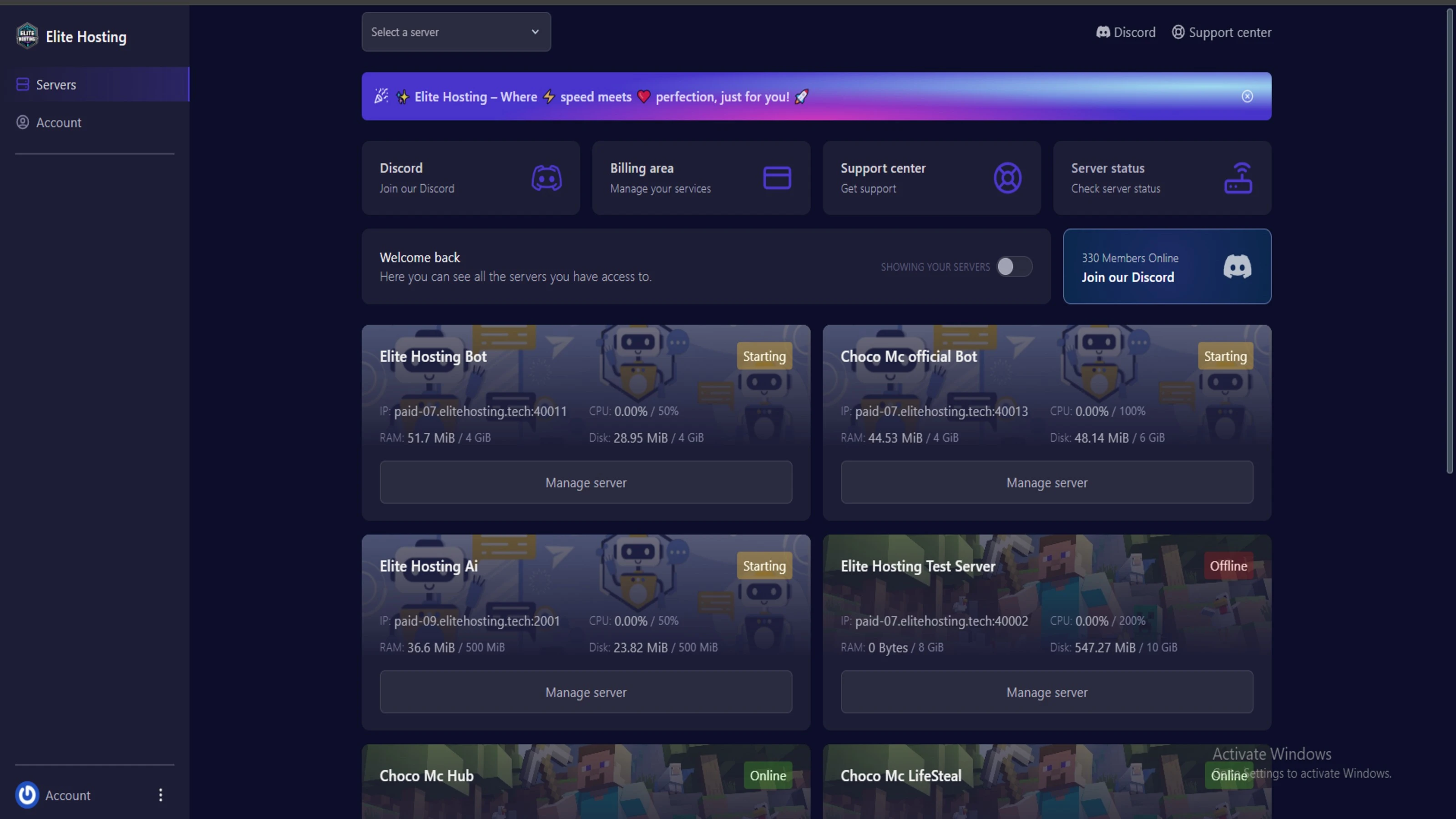
Experience Elite Hosting Control Panel
Pterodactyl is the premium panel used by us to control gaming services, offering our clients a user-friendly and efficient platform.
Frequently Asked Questions
Got questions? Check out these FAQs from our latest customers. If you need further assistance, explore our knowledge base or reach out to our support team.
We offer lightning-fast servers, 99.5% uptime, and low-latency connections with Global Location — ensuring smooth performance for your games and projects. Our platform is optimized for gamers, developers, and creators who demand speed, reliability, and scalability.
All our servers are deployed instantly after payment. You can start using your server within seconds. Our automated setup ensures no waiting time — just purchase, deploy, and play.
Absolutely! You can upgrade your plan anytime without losing your data. Your files, configurations, and backups remain fully intact during the upgrade process.
Yes! We take security seriously with Anti DDoS protection, regular backups, and encrypted connections. Your data and servers are always protected, giving you complete peace of mind while you focus on your projects.

14 min read • Rohit Kushwah

15 min read • Rohit Kushwah
16 min read • Rohit Kushwah
Choose which cookies you want to allow. You can change these settings at any time.