ELITE10
Get 10% off on your first order
VPS for WordPress India 2026 — Best Hosting for WooCommerce, Blogs & High-Traffic Sites
A practical guide to sizing, caching, India-based delivery, security, and choosing a VPS for WordPress growth.

Table of Contents
Quick answer
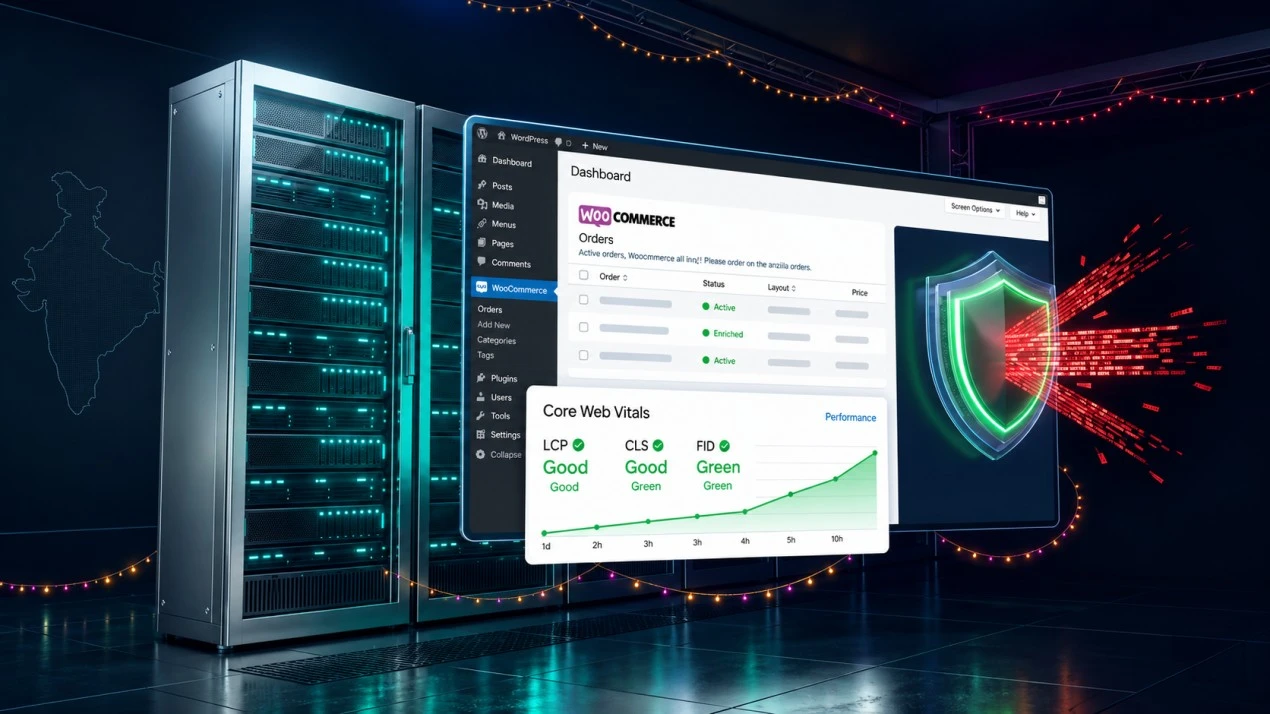
A WordPress VPS gives your site a defined allocation of CPU, memory, and storage, plus more control over PHP, the database, caching, and security than many entry shared plans. It can help when resource contention or server configuration is limiting performance, but moving to a VPS by itself does not guarantee faster pages, better Core Web Vitals, or higher Google rankings. Theme weight, plugins, images, caching, and application code matter too.
For an India-focused WordPress or WooCommerce site, compare the server region, plan resources, backup and support policy, renewal cost, and the exact DDoS coverage. Elite Hosting lists VPS plans from ₹800/month with AMD EPYC 7313 configurations, NVMe storage, OVH network-level DDoS protection, its own WAF for applicable web traffic, and Game DDoS protection for supported game traffic. Confirm the service scope and current plan details before moving a production site.
This guide is a practical starting point, not a performance guarantee. Measure your own site before and after migration using real-user data and repeatable tests.
When shared hosting works — and when it stops fitting
Shared hosting is often the right place to start: it is convenient, usually inexpensive, and the provider handles much of the server maintenance. It may become a poor fit when resource limits, noisy-neighbour effects, limited configuration, or support constraints repeatedly affect your workload.
Look at evidence from your own hosting account rather than a universal traffic threshold. Useful signals include recurring CPU or entry-process limits, slow database requests during normal traffic, PHP memory errors, failed background jobs, and time-to-first-byte (TTFB) that remains poor after application caching is configured.
- WooCommerce: Cart, checkout, account, and other personalized pages often cannot use the same full-page cache as anonymous blog pages. Capacity planning matters during sales and campaign spikes.
- Core Web Vitals: Poor LCP, INP, or CLS can have many causes: images, JavaScript, fonts, layout shifts, third-party scripts, or server response. A VPS only addresses part of the stack.
- Plugin-heavy sites: Builders, multilingual plugins, search, analytics, and product integrations can increase PHP and database work. Check actual resource consumption before scaling.
- Need for control: A VPS is useful when you need custom PHP settings, Redis, queue workers, scheduled tasks, or server-level caching that your current plan does not permit.
A VPS also brings responsibility. You or your administrator need to manage operating-system updates, web-server configuration, monitoring, backups, security, and recovery. A managed WordPress service may be worth the extra cost if you do not want to run that layer yourself.
What WordPress and WooCommerce need from a VPS
Use these RAM levels as initial sizing guidance, not fixed promises. Actual demand depends on PHP worker count, plugins, traffic concurrency, object caching, database size, and background jobs. Leave memory for the operating system and database instead of assigning every available GB to PHP workers.
| Site profile | Starting RAM range | Planning notes |
|---|---|---|
| Small blog or brochure site | 2–4 GB | Depends on plugins, caching, and whether database services share the VPS |
| Business site with regular publishing | 4–8 GB | Monitor PHP-FPM, database, and scheduled task memory |
| Small WooCommerce store | 4–8 GB | Test cart and checkout under expected concurrent use |
| Busy store or several sites | 8–16 GB+ | Load-test the actual stack; consider separate database resources as needed |
| WordPress multisite or agency hosting | 8–16 GB+ | Size for aggregate PHP workers, databases, backups, and traffic peaks |
CPU: Most sites benefit more from stable CPU availability and efficient PHP/database configuration than from a large headline core count. Checkout, imports, image processing, search, and scheduled jobs create bursts. Test these tasks on the plan you intend to use.
Storage: NVMe can help database and filesystem workloads, but required disk space depends on media, backups, logs, and product images. Keep backups off the VPS and reserve room for updates and temporary files.
PHP and database: Use a currently supported PHP release compatible with WordPress core, your theme, and every plugin. Keep MySQL/MariaDB and WordPress patched. Do not assume the newest release is suitable until compatibility has been checked in staging.
Caching: Page cache, object cache, browser cache, and CDN cache solve different problems. Exclude personalized WooCommerce pages and session-dependent content from shared full-page caching unless the cache integration explicitly handles them.
Why India server location matters for Indian visitors
Physical and network distance affect round-trip time. Hosting close to your audience can reduce the time needed for the browser to receive the first response, especially for uncached or dynamic requests. The benefit depends on actual routing, peering, the visitor's ISP, and where databases and third-party services are located.
Server location is only one part of page speed. A nearby VPS cannot compensate for a multi-megabyte hero image, render-blocking scripts, an overloaded database, or a slow external payment gateway. Google's Core Web Vitals are field metrics based on user experiences; a change in hosting is not a ranking guarantee. Track real-user LCP, INP, CLS, and TTFB before and after migration.
When comparing India-facing providers, test from Jio, Airtel, and other networks used by your customers. Check latency, packet loss, and consistency at different times of day. Do not rely on a provider's single ping screenshot as a substitute for your own audience measurements.
DDoS protection for WordPress and WooCommerce
WordPress has both web-application risks and network availability risks. A WAF can filter supported HTTP(S) requests using application rules. Network-level DDoS mitigation works upstream and addresses traffic that could otherwise saturate a connection. Game-specific DDoS protection is aimed at supported game protocols and should not be assumed to cover every web workload.
Elite Hosting uses OVH network-level DDoS protection alongside its own WAF for applicable web traffic and Game DDoS protection for supported game traffic. The layers complement each other but have different scopes. Ask which IPs, domains, protocols, and ports are covered, whether the site must be proxied through the WAF, what happens during mitigation, and whether any plan-specific limits apply.
For a WooCommerce shop, also use secure administrator accounts, MFA, least-privilege access, timely plugin updates, tested backups, and a recovery plan. A WAF or DDoS layer cannot fix vulnerable plugins, weak passwords, compromised credentials, or unsafe payment integrations.
Elite Hosting WordPress VPS plans in India
Elite Hosting's published Basic VPS lineup ranges from 2 to 32 vCPU, 4 to 128 GB RAM, and 40 GB to 1.28 TB NVMe, with prices from ₹800/month. The plan listing identifies AMD EPYC 7313 configurations. Resource sharing, Windows/Linux selection, traffic policy, backups, and renewals should be checked against the live plan terms.
| Plan | vCPU | RAM | NVMe | Basic price/month | Possible WordPress starting point |
|---|---|---|---|---|---|
| VPS-STARTER | 2 | 4 GB | 40 GB | ₹800 | Small blog or business site |
| VPS-BASIC | 4 | 8 GB | 80 GB | ₹1,600 | Growing blog or modest WooCommerce store |
| VPS-STANDARD | 6 | 16 GB | 160 GB | ₹3,200 | Busier store or several workloads |
| VPS-PREMIUM | 8 | 32 GB | 320 GB | ₹6,400 | Larger database or multiple active sites |
| VPS-ULTIMATE | 16 | 64 GB | 640 GB | ₹12,800 | High-resource multi-site deployments |
| VPS-ENTERPRISE | 32 | 128 GB | 1.28 TB | ₹25,600 | Large or consolidated workloads |
Elite Hosting's protection stack combines OVH network-level DDoS protection with its own WAF for applicable web traffic and Game DDoS protection for supported game traffic. OVHcloud's network is identified by AS16276. ASN association does not by itself guarantee a specific route, latency, or mitigation outcome; confirm the current coverage for your site and ports.
View Elite Hosting VPS plans and current details before provisioning. A self-managed VPS is not a managed WordPress service; include server administration and support needs in your decision.
Comparing WordPress hosting providers
These providers offer different models, regions, and levels of management. Product features change, so use this as a comparison checklist rather than a ranking of current plan specifications.
| Provider/model | Potential strength | Check before choosing |
|---|---|---|
| Elite Hosting VPS | India-facing plans, NVMe, EPYC 7313 configurations, layered DDoS/WAF options | Management responsibilities, WAF and Game DDoS scope, bandwidth, backups, renewal terms |
| Cloudways | Managed cloud control panel and simplified application deployment | Underlying cloud region, provider, plan limits, add-ons, and total monthly cost |
| Hostinger | Accessible entry-level products and managed tooling | VPS vs shared product, renewals, traffic limits, server access, and support scope |
| DigitalOcean | Developer-focused cloud VPS and ecosystem | Region availability, support level, backups, security controls, and total ops effort |
| Kinsta / SiteGround | Managed WordPress features and support, depending on plan | Current data locations, visit limits, renewal pricing, and included features |
| Contabo / MilesWeb / Bluehost | Different price points and shared, VPS, or regional product options | Compare like-for-like plan type, region, resource policy, support, and DDoS terms |
Do not compare a shared plan, managed WordPress plan, and unmanaged VPS as if they were interchangeable. Include the value of server administration, backups, staging, support, email, CDN, and migration assistance, not just the headline monthly rate.
How to set up WordPress on a VPS
For a self-managed Linux VPS, a common stack is Nginx, PHP-FPM, MariaDB or MySQL, and a cache such as Redis. Exact package names vary by operating system version. Back up existing sites and test the setup in staging before switching DNS.
- Prepare the server: Choose a supported Linux distribution, create a non-root admin account, configure SSH keys, firewall rules, and automatic security updates.
- Install the web stack: Set up Nginx, a supported PHP version and required extensions, plus MariaDB/MySQL. Use secure credentials and bind the database to localhost unless remote access is required.
- Create the site: Configure a dedicated database and least-privilege database user for WordPress. Install from the official WordPress source or migrate a verified backup.
- Configure HTTPS: Install a valid TLS certificate, redirect HTTP to HTTPS, and confirm renewal works automatically.
- Add caching: Configure page and object caching carefully. Exclude cart, checkout, account, and other personalized WooCommerce paths from shared full-page caching.
- Set up backups and monitoring: Keep backups off-server, monitor disk/RAM/CPU and HTTP availability, and test a restore before launch.
- Stage and cut over: Test plugin compatibility, forms, checkout, email, redirects, and search indexing on staging. Change DNS only after validation.
sudo apt update && sudo apt upgrade -y
sudo apt install nginx mariadb-server php-fpm php-mysql php-xml php-curl php-gd php-zip php-mbstring php-redis -y
Package versions and service names depend on your Linux distribution. Follow its supported documentation and WordPress's current requirements rather than copying commands blindly into a production server.
WooCommerce optimization on a VPS
- Object cache: Redis or another supported object cache can reduce repeated database work. Monitor cache hit rate and memory use.
- Full-page cache: Cache public product, category, and editorial pages where safe. Exclude cart, checkout, account, and session-specific responses.
- PHP workers: Tune PHP-FPM process limits to available memory and measured concurrency. Too many workers can exhaust RAM and destabilize the database.
- Images and static assets: Resize uploads, use modern image formats, set cache headers, and consider a CDN for static content.
- Database and scheduled tasks: Review slow queries and cron jobs, and move long-running work to a queue where appropriate.
- Test checkout under load: Use a staging environment and a safe load-test plan. Do not run intrusive tests against a live payment flow without authorization.
For attack resilience, Elite Hosting's stated stack combines OVH network-level DDoS protection, its WAF for applicable web requests, and Game DDoS protection for supported game services. WordPress administrators should confirm what protects the website's HTTP(S) traffic and ensure the origin cannot be bypassed if requests are intended to pass through a proxy or WAF.
Frequently asked questions
How much RAM does a WooCommerce VPS need? Four GB can be a starting point for a small, optimized store, while 8 GB or more may be appropriate for more concurrent users, plugins, or background tasks. Benchmark your own workload and leave room for the database and operating system.
Does a VPS automatically improve Google rankings? No. A VPS may improve server response if hosting resources or configuration are a bottleneck, but rankings depend on many signals. Measure Core Web Vitals and improve the full page experience.
Does India hosting guarantee a fast site for Indian customers? No. A nearby server can reduce network distance, but routing, page weight, caching, third-party scripts, and database performance also matter. Test from your customers' networks.
Is a VPS managed WordPress hosting? Usually not. A VPS provides virtual server resources; you may be responsible for OS updates, web stack, security, backups, and monitoring. Confirm exactly what the host manages.
What DDoS protection does Elite Hosting provide? Elite Hosting uses OVH network-level DDoS protection alongside its own WAF for applicable web traffic and Game DDoS protection for supported game traffic. Ask support to confirm current coverage for your plan, domain, protocol, and ports.
Can I host multiple WordPress sites on one VPS? Yes, if the plan has enough CPU, RAM, storage, and process capacity for their combined traffic. Isolate site files and databases, monitor usage, and consider separate instances when failure isolation matters.
Should I choose a managed host or self-managed VPS? Choose managed hosting if you need the provider to handle WordPress/server operations. Choose self-managed VPS when you have the expertise or support to maintain the stack and want more control.
Conclusion
A WordPress VPS is a sensible next step when your site has outgrown shared resources or needs server-level control. Size it from real measurements, select a location close to your audience, configure caching safely, and account for the operational work that comes with a self-managed server.
Elite Hosting lists WordPress-capable VPS plans from ₹800/month with NVMe storage and AMD EPYC 7313 configurations. Its protection stack combines OVH network-level DDoS protection with its own WAF and Game DDoS protection; these layers cover different traffic types, so confirm the details for your site. Performance, Core Web Vitals, and availability still depend on the application, configuration, route, and current service terms.
About the Author
Excellent
4.8/5.0
107 Reviews
Discover the features that set Elite Hosting apart from the rest.
Our infrastructure, housed in top-tier data centers with the most reliable uplinks, allows us to offer our clients an impressive 99.9% uptime for their services.
We are dedicated to supporting you at all times. Our 24/7 Support Team is available to address any commercial or technical issues you may encounter.
your services are protected by enterprise-level security against DDoS attacks, with a capacity of up to 17Tbps, ensuring your services remain online seamlessly.
Immerse yourself in lightning-fast load times and seamless performance with NVMe storage technology, providing unparalleled speed and responsiveness.
Our hosting network is powered by high-performance AMD Ryzen 9 dedicated servers, delivering unparalleled game server performance.
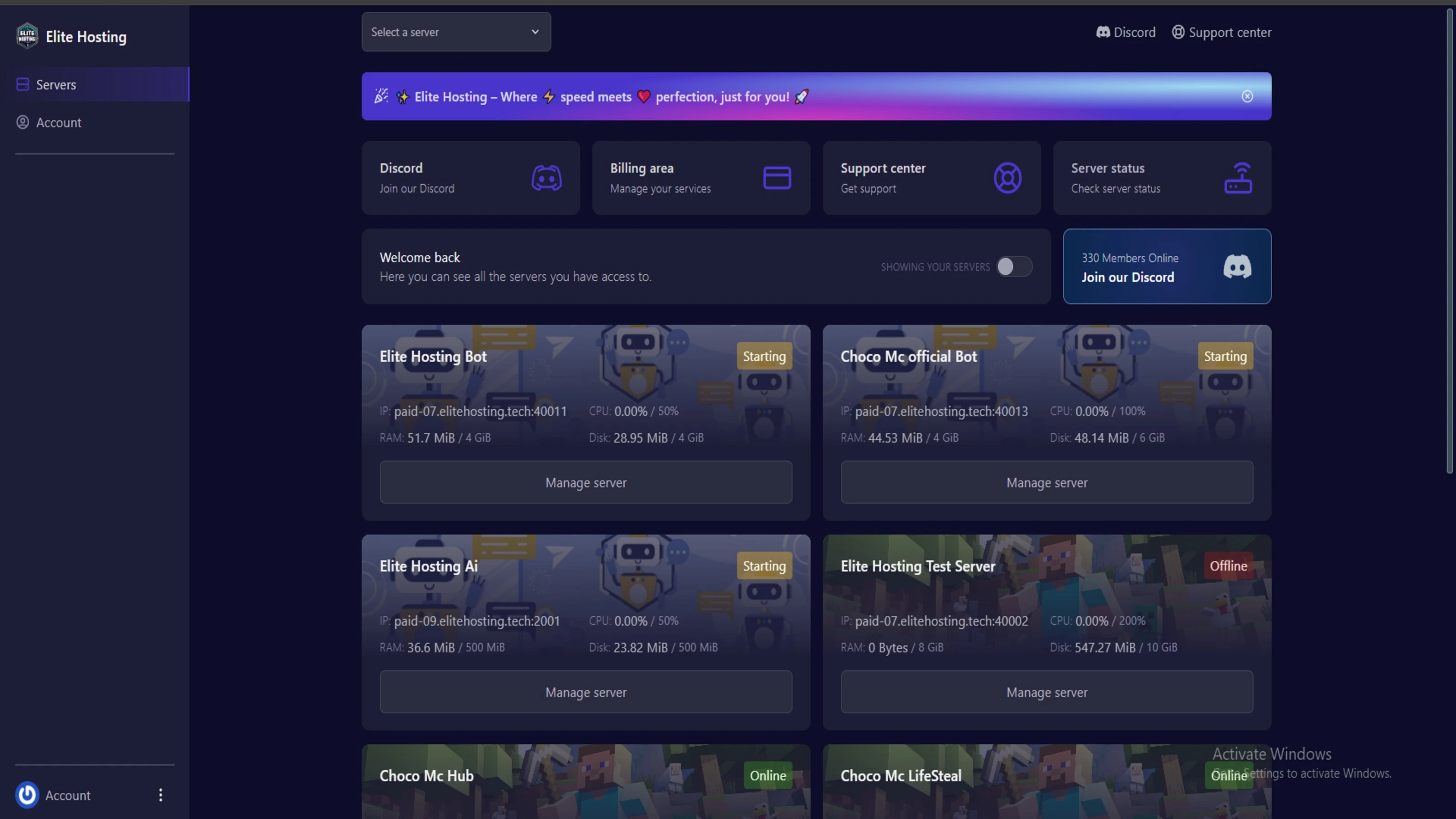
We use Pterodactyl as our premium control panel for game servers. This user-friendly and efficient platform is ideal for managing any project.
With data centers around the world, we're always close to you.

Experience Elite Hosting Control Panel
Pterodactyl is the premium panel used by us to control gaming services, offering our clients a user-friendly and efficient platform.
Frequently Asked Questions
Got questions? Check out these FAQs from our latest customers. If you need further assistance, explore our knowledge base or reach out to our support team.
We offer lightning-fast servers, 99.5% uptime, and low-latency connections with Global Location — ensuring smooth performance for your games and projects. Our platform is optimized for gamers, developers, and creators who demand speed, reliability, and scalability.
All our servers are deployed instantly after payment. You can start using your server within seconds. Our automated setup ensures no waiting time — just purchase, deploy, and play.
Absolutely! You can upgrade your plan anytime without losing your data. Your files, configurations, and backups remain fully intact during the upgrade process.
Yes! We take security seriously with Anti DDoS protection, regular backups, and encrypted connections. Your data and servers are always protected, giving you complete peace of mind while you focus on your projects.

14 min read • Rohit Kushwah

15 min read • Rohit Kushwah

16 min read • Rohit Kushwah
Choose which cookies you want to allow. You can change these settings at any time.