ELITE10
Get 10% off on your first order
Tally on Cloud India 2026 — Complete Guide for CA Firms, Accountants & SMBs
Understand the licensing, Windows VPS, user sizing, security, and setup behind a practical Tally remote-work environment.

Table of Contents
Quick answer
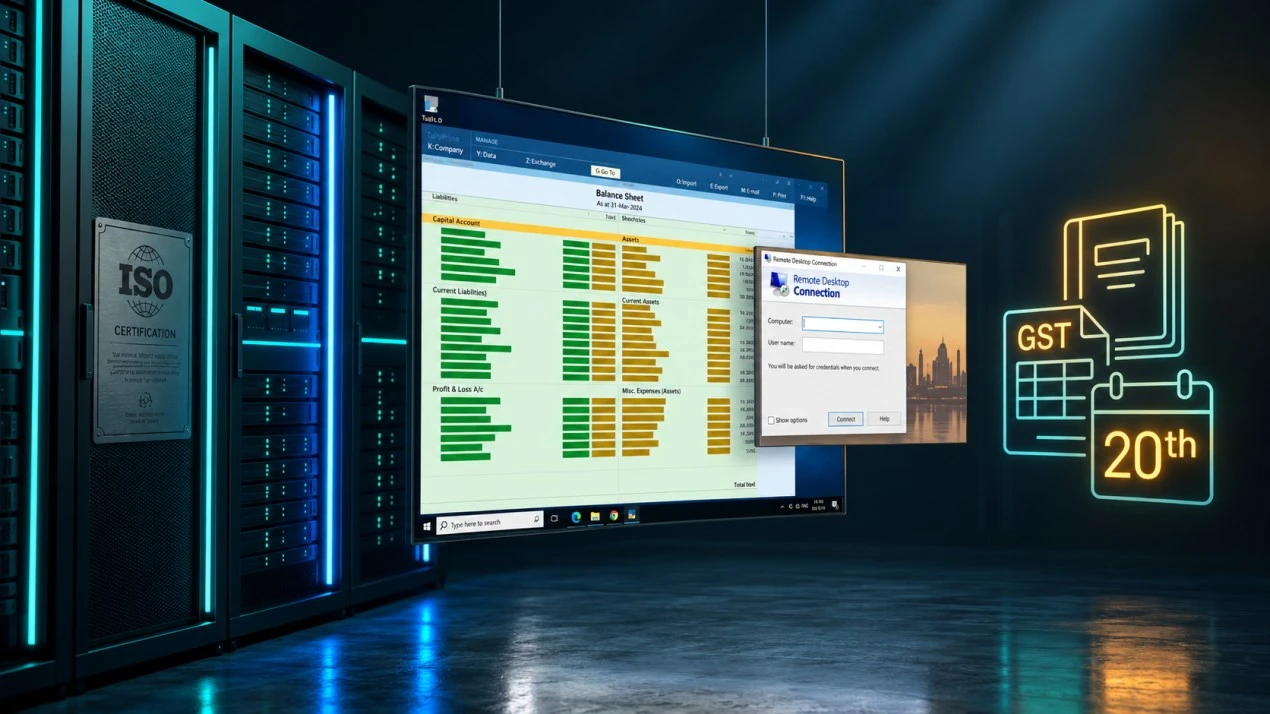
If your accounting team still depends on a single office PC, remote access can become a bottleneck during client visits, branch work, or busy filing periods. Tally on Cloud usually means installing TallyPrime on a Windows Server hosted in a datacenter and connecting to that desktop over Remote Desktop Protocol (RDP). It can make a shared work environment accessible from multiple locations, but it is not a browser-based SaaS subscription supplied automatically by the hosting company.
There are two separate costs: your Tally license and your Windows VPS. Elite Hosting's public VPS plans start at ₹800/month and list AMD EPYC 7313 configurations, NVMe storage, and Game DDoS protection. The public VPS page does not fully specify Windows Server licensing or Tally compatibility terms, so confirm the Windows edition, license cost, concurrent-user policy, backup options, and DDoS scope before migrating business data.
This article is a planning guide, not accounting, tax, legal, or software-licensing advice. Tally pricing, TVU terms, and tax filing calendars can change; verify current details with Tally Solutions, an authorized partner, your tax professional, and the hosting provider.
What Tally on Cloud is — and what it is not
“Tally on Cloud” commonly describes a deployment model: TallyPrime (or an older supported Tally installation) runs on a Windows computer or VPS in a datacenter, and authorized users connect remotely. The Tally application and company data live on the hosted server; users see and control a desktop session through RDP or another supported remote access tool.
This is different from assuming that every hosting provider supplies a Tally SaaS product. In a typical VPS setup:
- You arrange and maintain the appropriate Tally license.
- You rent the Windows VPS and confirm its Windows Server licensing separately.
- You configure user accounts, company data, backups, and remote access.
- You remain responsible for validating Tally's current virtual-use rules and the number of concurrent users permitted by your license.
Before treating a VPS as a production accounting system, test your exact Tally version, license, multi-user workflow, printers or exports, and backup restore process. Keep a local or independent backup so your books are not dependent on one server or one provider account.
Who needs Tally on Cloud?
CA firms and audit practices: Partners, article assistants, and accountants may need access from client offices, home, or different branches. A centrally hosted environment can reduce manual file shuffling, provided staff have appropriate individual accounts and Tally licensing.
SMBs with multiple locations: A business with a head office, warehouse, shop, and remote accounts staff may want everyone working against the same company data. Confirm concurrency, data access, and how you handle internet outages at each location.
Tax practitioners: Firms maintaining multiple company files can use a remote desktop to access their configured environment while travelling or during filing periods. Separate client data carefully and restrict access to only the staff who need it.
Business owners: Remote desktop access can help owners review reports without waiting for files to be emailed. It should complement—not replace—approval controls, audit trails, secure credentials, and backups.
Cloud access is not automatically the right answer for every office. A single-user practice with reliable local infrastructure may prefer a local installation. A hosted setup adds recurring infrastructure costs and requires disciplined account security and recovery procedures.
The two-cost reality: Tally license + Windows VPS
Budget the application and hosting independently. The figures below are indicative amounts included in the supplied source material, not a live quote from Tally Solutions. Verify current prices, tax, product editions, authorized purchase routes, renewal terms, and virtual-use entitlements before relying on them.
| Tally option | Indicative license price | Indicative audience | Verify before purchase |
|---|---|---|---|
| TallyPrime Silver | ₹22,500 one-time, before GST | Single-user deployments | Current virtual access entitlement and whether it fits your RDP use |
| TallyPrime Gold | ₹67,500 one-time, before GST | Multi-user teams | Concurrent-user entitlement, TVU terms, and current license rules |
| TallyPrime Server | ₹2,70,000 one-time, before GST | Larger or higher-volume environments | Whether your workflow actually requires this product and its supported architecture |
The supplied figures describe Silver with one included virtual user entitlement and Gold with ten; it also lists additional TVU packs at approximately ₹225 per user/month, billed annually before GST. Treat all TVU quantities and charges as provisional: ask an authorized Tally partner how your specific RDP/VPS deployment is classified and licensed. Do not assume that purchasing Gold alone settles every remote access requirement.
The same source lists annual Tally Software Subscription (TSS) estimates of approximately ₹4,500 for Silver and ₹13,500 for Gold. TSS and update entitlements may change. Confirm whether your business needs current updates, connected services, and support, and include the renewal in your operating budget.
The VPS is separate. It is the remote Windows environment where the application runs. Check whether Windows Server is included or separately licensed, which edition is provisioned, whether Tally is supported on that environment, and whether backups and additional RDP access are included.
What hardware does Tally on Cloud need?
Tally's own compute needs may be modest, but each simultaneous remote desktop session consumes memory and CPU, and large reports or imports can create short bursts. Use these as starting estimates from the supplied guide, then test your data and workflows before choosing a production tier:
| Concurrent users | Starting RAM estimate | Notes |
|---|---|---|
| 1–2 | 4 GB | Entry point; allow for Windows and background services |
| 3–5 | 8 GB | More comfortable for regular use and multiple sessions |
| 6–10 | 16 GB | Useful when staff run reports or several companies at once |
| 11–20 | 32 GB | Plan for active sessions, workload spikes, and storage growth |
| 20+ | 64 GB+ | Assess architecture and application licensing with a specialist |
CPU matters most during simultaneous report generation, exports, imports, or other background work. NVMe storage can help with data access and general responsiveness, but it does not replace backups or guarantee data integrity. Tally data size varies by company history, attachments, and retention; estimate storage from your real folders and include space for snapshots and growth.
Network quality affects how RDP feels: latency, jitter, packet loss, and stability matter along with raw bandwidth. The source estimates 100–500 Kbps per ordinary session; actual use changes with screen activity, resolution, printing, and file transfer. Test from each office and remote network your team will use.
Elite Hosting VPS plans for Tally on Cloud
Elite Hosting's current public VPS listing provides Basic tiers from 2 to 32 vCPU, 4 to 128 GB RAM, and 40 GB to 1.28 TB NVMe. Basic pricing starts at ₹800/month. The listing does not confirm the Windows Server license cost or multi-user RDP terms, so contact support for the complete Windows total before migrating Tally.
| Plan | vCPU | RAM | NVMe | Basic price | Indicative starting fit |
|---|---|---|---|---|---|
| VPS-STARTER | 2 | 4 GB | 40 GB | ₹800/mo | Solo user or very light use |
| VPS-BASIC | 4 | 8 GB | 80 GB | ₹1,600/mo | Small team; test actual session load |
| VPS-STANDARD | 6 | 16 GB | 160 GB | ₹3,200/mo | Growing practice with several active users |
| VPS-PREMIUM | 8 | 32 GB | 320 GB | ₹6,400/mo | Larger teams or several concurrent workloads |
| VPS-ULTIMATE | 16 | 64 GB | 640 GB | ₹12,800/mo | High-resource environments |
| VPS-ENTERPRISE | 32 | 128 GB | 1.28 TB | ₹25,600/mo | Large deployments after workload assessment |
The public plan details identify AMD EPYC 7313 configurations and NVMe storage. They also reference OVHcloud network AS16276 and advertise Game DDoS protection. ASN association does not establish a guaranteed route or latency to your office. Game DDoS protection is not automatically a promise that RDP or accounting application traffic will be protected in every incident; ask what is covered and what response to expect.
Check Elite Hosting VPS plans and current service details, including Windows availability, licensing, bandwidth, backups, and support terms.
Tally on Cloud provider comparison
The provider notes below condense the supplied comparison, but plans, regions, prices, and mitigation policies are subject to change. Treat them as a shortlist for due diligence, not a guarantee of current product specifications.
| Provider | Location / indicative price | What to verify for Tally |
|---|---|---|
| Elite Hosting | India-facing VPS from ₹800/mo | Windows license, RDP user policy, traffic terms, backups, Game DDoS scope |
| Hostinger | India options; price varies | Windows availability, renewal rate, network limits, attack response |
| MilesWeb | Mumbai options; price varies | Actual plan RAM, storage, license, traffic, and support escalation |
| Contabo | Navi Mumbai availability; EUR pricing varies | Current region, Windows terms, DDoS response, and fair-use policy |
| OVHcloud | Mumbai inventory and price vary | Windows add-on, traffic limits, stock, upgrade policy, and currency |
| Vultr | India region; USD pricing | Windows license cost, full monthly total, network and mitigation terms |
| DigitalOcean | Linux-focused catalog | Confirm current Windows image support; do not assume native Windows deployment |
Do not choose based on a single latency number or “unlimited” label. Ask about uptime exclusions, support response, restore assistance, storage snapshots, data location, Windows licensing, and what happens when an IP is attacked. For accounting use, the ability to restore the correct company data is at least as important as the monthly VPS price.
Tally on Cloud vs a local office server: example costs
Here is an illustrative three-year comparison based on the cost ranges in the supplied material. Actual hardware quotes, license prices, TSS, Windows licensing, taxes, support, and staff time vary. This is not a promise that cloud is always cheaper; it shows the line items a firm should include.
| Cost item | Local server example | Hosted example (5 users) |
|---|---|---|
| Server/VPS | ₹60,000–₹80,000 one-time PC | ₹1,600/mo VPS-BASIC (verify Windows charges) |
| TallyPrime Gold license | ₹67,500 indicative one-time | ₹67,500 indicative one-time; not included in VPS |
| TSS / updates | Budget separately; indicative source estimate ₹13,500/year | Budget separately; indicative source estimate ₹13,500/year |
| Power, UPS, maintenance, support | Local electricity, UPS, hardware maintenance, IT support | Hosting support, connectivity, backups, Windows license if billed extra |
For the hosted example, amortizing a ₹67,500 Gold license over 36 months is ₹1,875/month. An indicative ₹13,500 annual TSS is ₹1,125/month. Adding a ₹1,600/month VPS gives an estimated ₹4,600/month before GST, Windows license add-ons, backups, and other charges. That corrects the arithmetic in the supplied draft, which stated ₹4,800. Confirm current Tally and hosting prices before using this estimate in a client proposal.
The local-server total also needs the purchase price amortized over its useful life, UPS replacement, electricity, maintenance, secure remote access, and recovery planning. A cloud VPS shifts some infrastructure work to a provider but does not eliminate the need for IT administration or independent data backups.
How to set up TallyPrime on a Windows VPS
- Confirm licensing: Ask Tally or an authorized partner to confirm that your edition and virtual-user entitlements allow the planned hosted/RDP deployment.
- Provision Windows: Confirm the Windows Server version, genuine license arrangement, RDP access policy, storage, backups, and firewall options with your VPS provider.
- Create individual accounts: Give each staff member their own credentials and only the access they need. Avoid a single shared administrator login.
- Install TallyPrime: Download the installer from an official source or follow the authorized partner's deployment instructions. Activate the license through the supported method.
- Restore a test copy: Import a backup into a staging company first and confirm reports, permissions, and data before migrating live books.
- Plan concurrent use: Configure users and shared data according to Tally's current supported multi-user guidance and your license entitlements.
- Set backup and recovery: Schedule backups to a separate storage location, restrict access, and test a restore. A snapshot on the same VPS is not an independent backup.
- Pilot with the team: Test RDP quality from every office, printing/export workflows, reconnect behavior, and application startup after a planned reboot.
Do not copy company files through an unsecured public share or personal messaging account. Use an encrypted transfer path, validate the restored data, and retain the original backup until the new environment has been checked by the responsible accountant.
Security, backups, and filing deadlines
Accounting data contains sensitive business and personal information. Use unique strong passwords, MFA where available, least-privilege Windows accounts, firewall restrictions for RDP, prompt security updates, and encrypted backups. Keep backup credentials separate from server credentials, and periodically restore a backup to prove that it works.
Filing windows create concentrated workload and support pressure. GST and TDS dates depend on current rules, taxpayer type, extensions, and official notices, so use the government portal or a qualified tax professional for the applicable calendar. For operational resilience, keep a fallback access plan and avoid scheduling risky upgrades immediately before a filing deadline.
Elite Hosting advertises Game DDoS protection and lists OVHcloud network AS16276 in the VPS network context. Because the advertised mitigation is game-focused, ask specifically whether Windows VPS, RDP, and accounting application traffic are covered. Also ask what action is taken during an event; an SLA or feature label alone does not guarantee the server or Tally application will remain usable.
Frequently asked questions
Is Tally on Cloud an official Tally SaaS product? The phrase is commonly used for Tally installed on a hosted Windows server and accessed remotely. Confirm the exact product and licensing arrangement with Tally Solutions or an authorized partner.
Can I use my existing Tally license on a VPS? Possibly, but confirm the current license terms, version, virtual-use classification, TVU entitlements, and concurrent-user count with an authorized Tally partner before moving it.
Is Windows Server included with Elite Hosting VPS? The general VPS page advertises Windows and Linux support, but does not clearly specify Windows Server license inclusion or edition. Ask support for written confirmation of the exact license and total monthly cost.
How much RAM do five Tally users need? Eight GB is a reasonable planning estimate for a modest five-user environment, but report complexity, company count, and other software affect use. Pilot the actual workload and monitor memory before production.
Can users connect to Tally from a phone? Remote desktop apps can connect from mobile devices, but long accounting sessions and data entry are generally easier on a larger screen. Use secure device access and follow your organization's data policy.
How should we back up Tally data? Use Tally's supported backup process plus a separate, access-controlled destination. Retain multiple recovery points and test restoring them. Do not rely only on the VPS disk or a snapshot stored on the same server.
Does Game DDoS protection protect our Tally RDP server? Not necessarily. Ask whether non-game Windows/RDP traffic is included, what mitigation is performed, and whether the server IP remains reachable during an attack.
Can a VPS replace our CA firm's IT support? No. The provider manages its infrastructure, but your firm still needs application administration, access management, updates, backups, user onboarding, and recovery procedures.
Conclusion
Tally on Cloud can make accounting workflows more accessible for CA firms, SMBs, and teams spread across offices. The successful setup is not just a VPS: it combines correctly licensed Tally, a supported Windows environment, enough resources for concurrent sessions, secure remote access, reliable backups, and a tested recovery process.
Elite Hosting's published VPS options start at ₹800/month and list AMD EPYC 7313 configurations, NVMe storage, Game DDoS protection, and an OVHcloud AS16276 network association. Compare the live plan details, then confirm Windows licensing, Tally virtual-use entitlements, RDP user policy, backup coverage, and whether Game DDoS protection covers your accounting workload. Get those answers before transferring live company data.
About the Author
Excellent
4.8/5.0
107 Reviews
Discover the features that set Elite Hosting apart from the rest.
Our infrastructure, housed in top-tier data centers with the most reliable uplinks, allows us to offer our clients an impressive 99.9% uptime for their services.
We are dedicated to supporting you at all times. Our 24/7 Support Team is available to address any commercial or technical issues you may encounter.
your services are protected by enterprise-level security against DDoS attacks, with a capacity of up to 17Tbps, ensuring your services remain online seamlessly.
Immerse yourself in lightning-fast load times and seamless performance with NVMe storage technology, providing unparalleled speed and responsiveness.
Our hosting network is powered by high-performance AMD Ryzen 9 dedicated servers, delivering unparalleled game server performance.
We use Pterodactyl as our premium control panel for game servers. This user-friendly and efficient platform is ideal for managing any project.
With data centers around the world, we're always close to you.

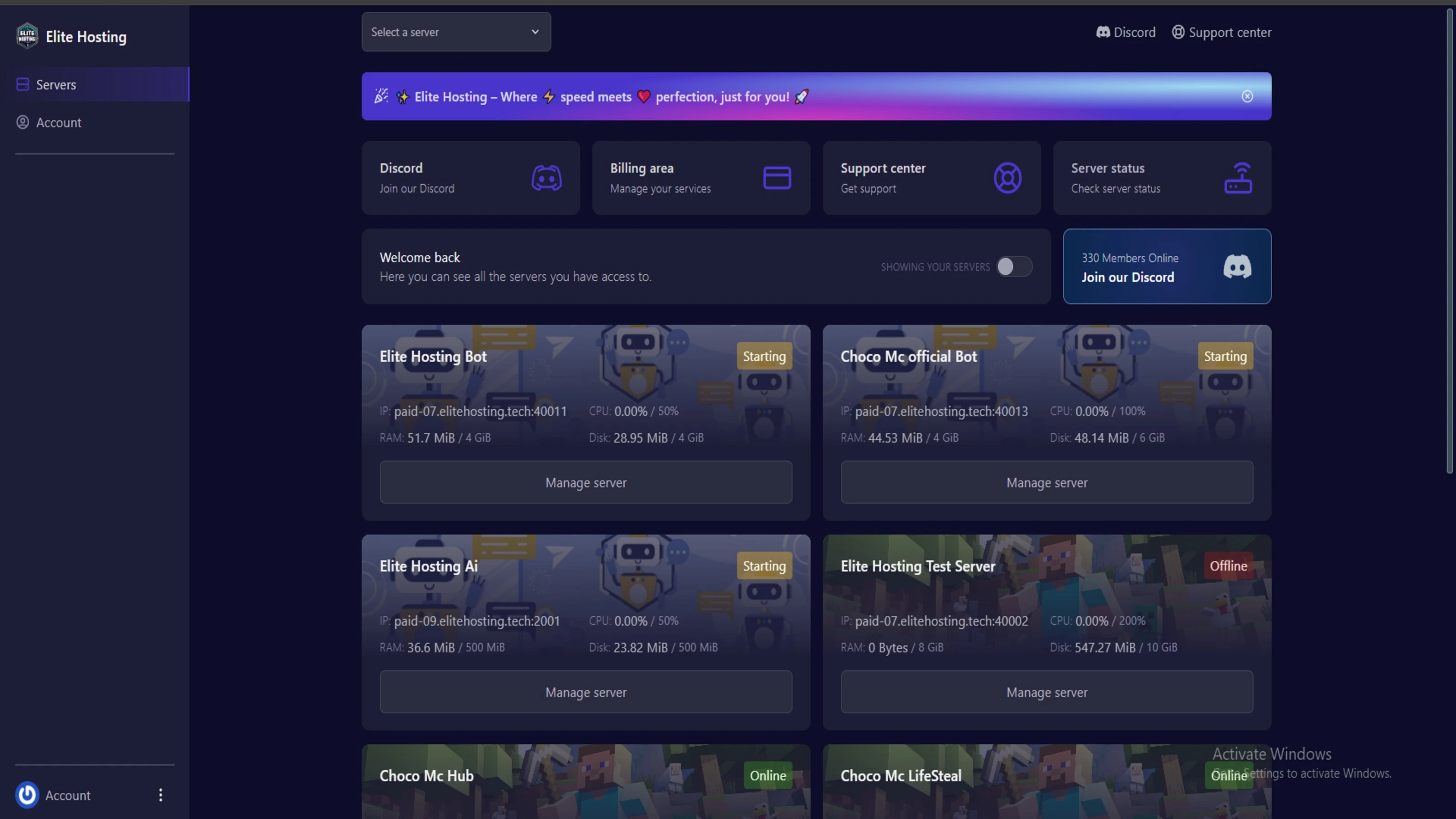
Experience Elite Hosting Control Panel
Pterodactyl is the premium panel used by us to control gaming services, offering our clients a user-friendly and efficient platform.
Frequently Asked Questions
Got questions? Check out these FAQs from our latest customers. If you need further assistance, explore our knowledge base or reach out to our support team.
We offer lightning-fast servers, 99.5% uptime, and low-latency connections with Global Location — ensuring smooth performance for your games and projects. Our platform is optimized for gamers, developers, and creators who demand speed, reliability, and scalability.
All our servers are deployed instantly after payment. You can start using your server within seconds. Our automated setup ensures no waiting time — just purchase, deploy, and play.
Absolutely! You can upgrade your plan anytime without losing your data. Your files, configurations, and backups remain fully intact during the upgrade process.
Yes! We take security seriously with Anti DDoS protection, regular backups, and encrypted connections. Your data and servers are always protected, giving you complete peace of mind while you focus on your projects.

14 min read • Rohit Kushwah

15 min read • Rohit Kushwah

16 min read • Rohit Kushwah
Choose which cookies you want to allow. You can change these settings at any time.