ELITE10
Get 10% off on your first order
No CPU Limit VPS India 2026: Run 100% CPU 24/7
Dedicated vCPU performance, no throttling, and a setup built for CPU-heavy workloads in India.

Table of Contents
Quick answer
A no CPU limit VPS means you can use all the vCPUs you paid for at full load, 24/7, with no CPU credits, no burst cap, and no throttling just because the server stays busy. This matters for video encoding, code compilation, CI/CD, AI inference, rendering, simulations, and CPU-heavy web workloads. In India, Elite Hosting is a strong option because it offers AMD EPYC 7C13 VPS plans with dedicated vCPU resources and predictable performance from a New Delhi setup.
Most cheap VPS plans are sold with a burstable model, shared CPU, fade-out credits, or vague fair-use rules. That is fine for light apps, but it breaks the second you run a workload that truly needs the CPU all day. If your project is CPU-bound, a no-throttling VPS is not a luxury; it is the difference between a server that completes the job and a server that crawls mid-process.
Last updated: 11 October 2026. The pricing below follows Elite Hosting's live VPS page and is built for the India market.
What does “no CPU limit” actually mean?
It does not mean unlimited cores. It means the CPU allocation you buy is real and usable. If you order a 4 vCPU VPS, you can run those four virtual cores at full load for as long as you need, with no hidden baseline or fair-use slowdown. Your server should behave the same at hour twelve as it does at hour one.
This sounds normal, but many providers sell core counts and then silently assume you will not actually use them. The problem appears when your workload runs for hours without pauses: encoding tasks, large builds, CPU inference, or simulations. That is exactly when the hidden CPU caps show up.
The four ways hosting providers quietly limit your CPU
| Method | How it works | What you feel |
|---|---|---|
| Burstable CPU credits | You earn credits while idle and spend them while busy. | Fast for the first stretch, then severe slowdown. |
| Oversold shared vCPUs | The host sells more vCPUs than the physical node can support at once. | High steal time and inconsistent evening speeds. |
| Fair-use clauses | The provider reserves the right to limit “excessive” usage. | Warning emails, throttling, or forced upgrades. |
| Suspension for high load | Sustained 100% CPU gets treated as abuse. | The server is paused or terminated mid-job. |
Burstable credits are the best-known version of this problem. AWS T3 instances, for example, can run at a baseline level and only burst when credits are available. If your workload is steady and long-running, those plans are a poor fit. Shared vCPU plans also create a similar outcome: you pay for a headline number, but the host is relying on a low average usage assumption across the cluster.
Which workloads need sustained 100% CPU?
If your project runs all day, these are the workloads that expose CPU limits quickly:
| Workload | Why it maxes the CPU | Typical need |
|---|---|---|
| Video transcoding | FFmpeg and packaging can use every core for hours. | 4 to 8 vCores or more |
| CI/CD and builds | Parallel build jobs saturate the machine while code compiles. | 4 to 12 vCores |
| AI inference on CPU | Model generation scales with threads and memory bandwidth. | 8 to 16+ vCores |
| Backtesting and simulations | Very little idle time, especially with long-run data processing. | 8 to 32 vCores |
| Rendering and batch jobs | Every frame and every scene consumes all available threads. | 8 to 24+ vCores |
If any of these describe your server, the CPU policy matters more than the sticker price. A burstable or oversold VPS can look fine on small jobs and then fail exactly when the work really matters.
How to test if your current VPS is throttling you
You can check this in about 30 minutes on Linux. Start by watching CPU steal time:
vmstat 1 10
The final column, st, shows steal time. Near-zero is healthy. If it stays above 5 percent under load, your host is already competing with neighbors. Then run a sustained benchmark:
sudo apt install -y stress-ng sysbench stress-ng --cpu $(nproc) --timeout 30m --metrics-brief
Keep a second terminal open with vmstat 5 while it runs. On a dedicated vCPU plan, the numbers remain flat. On a burstable or oversold host, performance falls off sharply once usage hits its baseline or another customer starts eating the node. That is the real sign that the CPU is not fully yours.
Elite Hosting VPS plans in India
Elite Hosting offers dedicated AMD EPYC VPS plans designed for real workloads, with a clean entry point for small apps and easy growth as your CPU needs increase. These are the current plan tiers on the live VPS page:
| Plan | vCPU | RAM | NVMe | Price |
|---|---|---|---|---|
| VPS-STARTER | 2 vCPU | 4 GB | 40 GB | ₹800/mo |
| VPS-BASIC | 4 vCPU | 8 GB | 80 GB | ₹1,600/mo |
| VPS-STANDARD | 6 vCPU | 16 GB | 160 GB | ₹3,200/mo |
| VPS-PREMIUM | 8 vCPU | 32 GB | 320 GB | ₹6,400/mo |
| VPS-ULTIMATE | 16 vCPU | 64 GB | 640 GB | ₹12,800/mo |
| VPS-ENTERPRISE | 32 vCPU | 128 GB | 1.28 TB | ₹25,600/mo |
All of these plans are based on AMD EPYC 7C13 at 2 GHz, DDR4 RAM, NVMe storage, and a clean resource model built for real workloads. For India, this is a strong starting point for CPU-heavy services without paying the price of a dedicated bare-metal box too early.
Why Elite Hosting for CPU-heavy VPS in India
Elite Hosting gives you a more practical path for CPU-heavy workloads in India: lower ping, better routing for Indian users, and a hosting setup that is aligned with local businesses and builders. The company also offers Cloudflare Magic Transit protection and a strong India-facing infrastructure story, which matters when you need consistent performance, not just a “cheap VPS” label.
For a genuine no-CPU-limit VPS, the important question is not the marketing claim but the actual resource model. If the host uses dedicated vCPUs, no credits, and no hidden burst cap, the server can run at steady load without the common “great until the system is busy” problem. That is why a predictable dedicated-vCPU setup is the safest choice for devops, AI, encoding, rendering, and high-concurrency services.
The honest verdict
A no CPU limit VPS is worth it when your workload is genuinely running all day. If you build software, encode media, train or infer on CPU, run simulations, or maintain busy automation pipelines, the cost of throttling is often bigger than the VPS difference. If your workload is mostly light web traffic or a small app, a cheaper burstable plan is fine. But if you need a server that truly stays productive at 100 percent load, a dedicated vCPU VPS is the right answer.
Elite Hosting’s India VPS lineup gives you a solid and transparent price ladder from 2 vCPU to 32 vCPU, with AMD EPYC 7C13 and NVMe storage throughout. That makes it a practical fit for teams that want high CPU availability without the hassle of juggling oversold hosting or vague fair-use rules.
Frequently asked questions
What is a no CPU limit VPS? It means your allocated vCPUs can run at full speed continuously with no credit system or throttle to a reduced baseline. The CPU is part of what you paid for, and you can use it without surprise slowdowns.
Is a no CPU limit VPS better than a burstable VPS? Yes, for CPU-heavy workloads. Burstable plans are cheaper but often throttle or charge more once usage stays high. No CPU limit VPS is better for sustained work such as encoding, builds, and CPU inference.
What should I watch for in a VPS provider? Look for dedicated vCPU allocation, CPU steal time near zero, clear no-throttling policy, and no vague fair-use rules. If the host uses shared vCPU or burst credits, check real-world benchmarks instead of just the listing.
Can I run 100% CPU on a VPS all day? You can, but only if the provider allows it in writing. Some hostings do; some do not. No CPU limit plans are the ones built for that workload, and they are the safest option for heavy continuous processing.
What is the best VPS plan for CPU-heavy work in India? For small workloads, start at 4 to 6 vCPU. For serious CPU work, 8 to 16 vCPU is much more comfortable. Elite Hosting’s 8 vCPU and 16 vCPU tiers are the best balance between power and cost for real production loads.
About the Author
Excellent
4.8/5.0
107 Reviews
Discover the features that set Elite Hosting apart from the rest.
Our infrastructure, housed in top-tier data centers with the most reliable uplinks, allows us to offer our clients an impressive 99.9% uptime for their services.
We are dedicated to supporting you at all times. Our 24/7 Support Team is available to address any commercial or technical issues you may encounter.
your services are protected by enterprise-level security against DDoS attacks, with a capacity of up to 17Tbps, ensuring your services remain online seamlessly.
Immerse yourself in lightning-fast load times and seamless performance with NVMe storage technology, providing unparalleled speed and responsiveness.
Our hosting network is powered by high-performance AMD Ryzen 9 dedicated servers, delivering unparalleled game server performance.
We use Pterodactyl as our premium control panel for game servers. This user-friendly and efficient platform is ideal for managing any project.
With data centers around the world, we're always close to you.

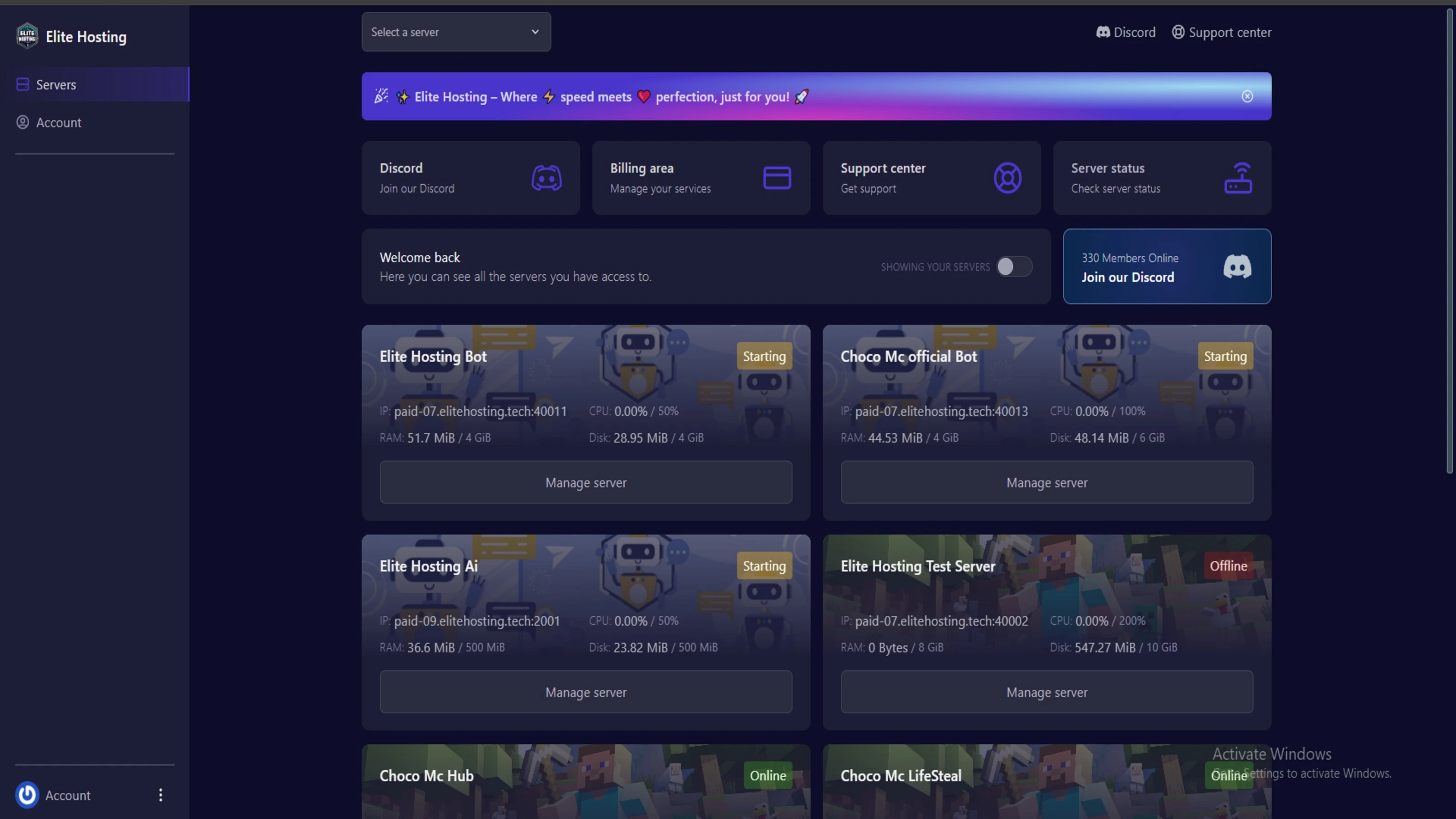
Experience Elite Hosting Control Panel
Pterodactyl is the premium panel used by us to control gaming services, offering our clients a user-friendly and efficient platform.
Frequently Asked Questions
Got questions? Check out these FAQs from our latest customers. If you need further assistance, explore our knowledge base or reach out to our support team.
We offer lightning-fast servers, 99.5% uptime, and low-latency connections with Global Location — ensuring smooth performance for your games and projects. Our platform is optimized for gamers, developers, and creators who demand speed, reliability, and scalability.
All our servers are deployed instantly after payment. You can start using your server within seconds. Our automated setup ensures no waiting time — just purchase, deploy, and play.
Absolutely! You can upgrade your plan anytime without losing your data. Your files, configurations, and backups remain fully intact during the upgrade process.
Yes! We take security seriously with Anti DDoS protection, regular backups, and encrypted connections. Your data and servers are always protected, giving you complete peace of mind while you focus on your projects.

14 min read • Rohit Kushwah

15 min read • Rohit Kushwah

16 min read • Rohit Kushwah
Choose which cookies you want to allow. You can change these settings at any time.