ELITE10
Get 10% off on your first order
Minecraft SMP Server Hosting India 2026 — Complete Guide for Creators & Communities
Plan a reliable survival community with the right server size, plugins, backups, performance settings, and protection.

Table of Contents
Quick answer
A Minecraft SMP is a persistent survival world built around an active community. Hosting it well means more than buying RAM: the server needs enough CPU for its main game thread, storage for a growing world, sensible view distance, compatible plugins, regular backups, and a network that suits where players live.
Elite Hosting's Minecraft plans currently start at ₹240/month for 2 GB RAM, with 4 GB at ₹480 and larger options available. Its infrastructure details for this guide use AMD EPYC 7313, OVH network-level DDoS protection, WAF for applicable web traffic, and Game DDoS protection for supported Minecraft traffic. Confirm the current plan, CPU allocation, and protection scope before launch.
For a community example, ChocoMC at play.chocomc.in is associated with creator ChocoNoob. Player counts and public server modes can change, so check the creator's current announcements for live details rather than relying on old figures.
What makes SMP hosting different from a standard Minecraft server
An SMP is still a Minecraft server, but its usage pattern is shaped by persistent play and player interaction:
- Players share a world: Building, exploration, combat, entities, and plugin events happen together. Busy areas can put more pressure on the main server thread than an empty world.
- The map keeps growing: Exploration creates new chunks. World size varies with play style, world border, map generation, and how long the community runs.
- Plugins add work: Permissions, claims, logging, economy, anti-cheat, maps, and backups each have their own resource and compatibility trade-offs.
- Progress needs protection: A world backup and tested restore process are essential. Plugin rollback tools help with grief investigations but are not a replacement for independent backups.
- Availability shapes trust: During an outage, players may lose access to a session or event. Communicate maintenance, monitor the server, and keep recovery steps documented.
Choose Paper or another server implementation based on plugin compatibility and performance requirements. Test updates and major plugin changes on a copy of the world before applying them to production.
Indian SMP formats and what they need
LifeSteal SMP: Combat, deaths, respawns, and anti-cheat checks make consistent main-thread performance important. Test combat plugins under realistic load and tune anti-cheat settings to reduce false positives.
Earth SMP: Large custom maps can consume substantial disk space and generate chunk-loading work. Set a world border, consider pre-generating the playable area, and monitor storage as the map expands.
Anarchy or Hardcore SMP: Long-running worlds may become large and difficult to replace. Keep frequent independent backups, define a recovery point objective, and test restoration before it is needed.
Creator SMP: Creator events and uploads can produce short bursts of player interest. Use a queue or whitelist when appropriate, test peak capacity in advance, and publish clear joining instructions. ChocoMC at `play.chocomc.in` is one public community address associated with ChocoNoob; verify current access details through official announcements.
Private friend-group SMP: A small whitelist-only server can often run on a lower tier. Whitelist access, backups, and basic moderation still matter even if the community is private.
Minecraft SMP hardware and plan sizing
Player capacity cannot be promised from RAM alone. Minecraft version, view and simulation distance, plugins, farms, chunk generation, CPU allocation, and player behavior all affect TPS. Use these as conservative starting points and load-test your actual configuration:
| Community size | Starting RAM range | Storage starting point | Notes |
|---|---|---|---|
| Private / 10–25 players | 4–6 GB | 16–24 GB | Paper, modest plugin set, limited view distance |
| Small public / 25–60 players | 6–8 GB | 24–32 GB | Monitor entities, plugins, and peak activity |
| Growing SMP / 60–120 players | 8–16 GB | 32–64 GB+ | Benchmark plugins and consider a world border |
| Large community / 120+ players | 16 GB+ | 64 GB+ | May require multiple backend servers and a proxy network |
At larger scales, a proxy such as Velocity can connect multiple backend servers or modes. A proxy does not make one survival world infinitely scalable; the architecture must match the gameplay design and plugin support.
Keep TPS stable and avoid avoidable lag
A Minecraft server targets 20 ticks per second. Each game tick has about 50 milliseconds of processing time; sustained work above that budget can delay ticks and make gameplay feel sluggish. Monitor MSPT, CPU usage, memory, garbage collection, and disk activity together rather than diagnosing every issue as “not enough RAM.”
- Choose a plan with suitable CPU allocation; the main game thread can bottleneck even when other cores are mostly idle.
- Use a supported server version and tune view-distance and simulation-distance for your map and player style.
- Pre-generate chunks around the playable area when practical to reduce exploration-time generation spikes.
- Profile plugins and remove unused features. Check timings or a compatible profiler before adding more hardware.
- Set a world border for finite events or Earth maps, and prune only after taking and verifying backups.
- Schedule backups and maintenance for low-traffic periods, and announce restarts to players.
Elite Hosting identifies AMD EPYC 7313 hardware for its hosting infrastructure. Actual tick performance depends on the allocated resources, neighboring workloads, software configuration, and what players do in the world; test with your plugin pack and expected peak concurrency.
DDoS protection and uptime for a public SMP
Public server addresses can attract unwanted traffic. Ask the host which protocols and ports are covered, whether filtering happens upstream, what happens to legitimate traffic during mitigation, and how support handles an incident. Avoid claims that any setup makes downtime impossible.
Elite Hosting uses OVH network-level DDoS protection together with its own WAF for applicable web traffic and Game DDoS protection for supported Minecraft traffic. A WAF protects web requests, not arbitrary Minecraft packets; Game DDoS and network mitigation apply to their supported traffic and policies. Confirm the exact game port and plan coverage before publishing your server.
Keep the raw IP private where practical and publish a domain or subdomain. This reduces casual exposure, but it is not a substitute for DDoS mitigation. Pair protection with a whitelist for private events, a queue for creator launches, backups, and a clear status/incident communication plan.
Elite Hosting Minecraft SMP plans
The current Basic Minecraft plan listing has the following RAM, storage, and monthly price examples. The Premium option can have different pricing and CPU configuration. Verify live checkout details, plan allocations, and add-ons before ordering.
| Plan | RAM | Storage | Basic price/month | Starting use case |
|---|---|---|---|---|
| COAL | 4 GB | 16 GB | ₹480 | Private or small SMP |
| IRON | 6 GB | 24 GB | ₹720 | Small public community |
| GOLD | 8 GB | 32 GB | ₹960 | Growing SMP, moderate plugin load |
| DIAMOND | 16 GB | 64 GB | ₹1,920 | Larger community or world |
| BEACON | 32 GB | 128 GB | ₹3,840 | High-resource setup; benchmark first |
See current Elite Hosting Minecraft plans for the full tier list, current software options, and Premium plan prices.
Essential plugins for an Indian SMP
- Administration: EssentialsX, LuckPerms, and Vault are common choices for commands, permissions, and economy integrations.
- Protection and moderation: WorldGuard can protect regions; CoreProtect can help investigate and roll back block changes. Configure permissions and retention deliberately.
- Performance: Use Paper or a compatible server implementation, then test each optimization plugin against your version and gameplay.
- World preparation: Chunky can pre-generate a bounded region before launch, reducing first-exploration generation work.
- Maps and economy: Dynmap and shop plugins add features, but can increase CPU, memory, database, and storage use. Add them only when the community needs them.
- Cross-play: Geyser and Floodgate can support Bedrock access on a Java server when versions and configuration are compatible. Test with the exact client versions before announcing support.
Plugin names are examples, not a guaranteed compatibility list. Check release support for your server version, download plugins from trusted sources, and trial updates on a copy of the world.
How to start a Minecraft SMP
- Decide the format: Set expectations for survival rules, PvP, resets, whitelist, age/community guidelines, and moderation.
- Choose an initial tier: Size from expected concurrent players, plugin set, and world style. Start with headroom and use monitoring to plan upgrades.
- Select server software: Choose a supported Paper version if your plugins require it. Confirm Java version and plugin compatibility.
- Prepare the world: Set a world border, configure spawn protection, and pre-generate the initial region if exploration spikes would disrupt launch.
- Install and test plugins: Add a small core stack first, test permissions and backups, then introduce economy, maps, and other optional systems.
- Configure performance settings: Start with moderate view and simulation distance, then tune based on MSPT and real player feedback.
- Set up backups and recovery: Automate backups to separate storage, retain multiple restore points, and perform a test restore before inviting the public.
- Publish join details: Use a stable domain such as `play.yoursmp.in` and share the correct version, address, rules, and official community link.
view-distance=6
simulation-distance=4
max-players=60
spawn-protection=16
These values are examples only. The right view distance, simulation distance, and player cap depend on server version, plan, world, and plugins. Measure under representative load before locking in launch settings.
Frequently asked questions
How many players can a 4 GB SMP server handle? There is no universal player limit. A light Paper setup with a pre-generated world may handle a small community, while farms, plugins, and chunk generation can reduce capacity. Measure TPS/MSPT with your own configuration.
Which Elite Hosting plan should I choose for an SMP? The 4 GB COAL plan is a starting point for a small SMP; 6 GB IRON or 8 GB GOLD gives more headroom as plugins and player concurrency grow. For larger communities, test a higher tier or discuss a multi-server design.
Is EPYC 7313 good for Minecraft? Elite Hosting identifies AMD EPYC 7313 for its infrastructure. Minecraft performance depends on per-plan CPU allocation and single-thread performance as well as memory and configuration, so benchmark the target workload rather than choosing from the processor name alone.
Can a single Minecraft server handle thousands of players? That is not a safe assumption. Large networks generally use proxies and multiple backend servers, and a single survival world has different limits from a network spread across modes. Plan architecture around measured workloads.
How do I protect an SMP from DDoS attacks? Choose a host that explains covered game protocols and incident behavior. Elite Hosting uses OVH network-level DDoS protection and Game DDoS protection for supported Minecraft traffic, alongside a WAF for applicable web traffic. Confirm exact coverage for your port and plan.
Can I add Bedrock players to a Java SMP? Geyser and Floodgate can provide cross-play when server version and configuration are compatible. Test player login, skins, forms, and plugins before making it part of the public promise.
Can I migrate my existing SMP world? Usually, yes. Take a complete backup of the world, player data, server configuration, and plugin data. Confirm versions and storage capacity, upload the backup, then validate it on a private test server before changing the public address.
Is ChocoMC the same as ChocoNoob's SMP? The provided community address is `play.chocomc.in` and is associated with ChocoNoob. Public modes, availability, and join requirements can change, so check ChocoNoob's official current announcements before joining.
Conclusion
A successful SMP is built on a stable game loop, measured capacity, a maintainable plugin stack, backups that restore correctly, and a clear community plan. Start with a realistic player target, monitor performance, and scale when measurements show the need. For creator communities such as ChocoMC at `play.chocomc.in`, verify current public details through ChocoNoob's official channels.
Elite Hosting's Minecraft plans start at ₹240/month and list multiple RAM tiers, AMD EPYC 7313 infrastructure, OVH network-level DDoS protection, WAF for applicable web traffic, and Game DDoS protection for supported Minecraft traffic. Confirm current plan allocations and protection scope, then test your version and plugins before launch.
About the Author
Excellent
4.8/5.0
107 Reviews
Discover the features that set Elite Hosting apart from the rest.
Our infrastructure, housed in top-tier data centers with the most reliable uplinks, allows us to offer our clients an impressive 99.9% uptime for their services.
We are dedicated to supporting you at all times. Our 24/7 Support Team is available to address any commercial or technical issues you may encounter.
your services are protected by enterprise-level security against DDoS attacks, with a capacity of up to 17Tbps, ensuring your services remain online seamlessly.
Immerse yourself in lightning-fast load times and seamless performance with NVMe storage technology, providing unparalleled speed and responsiveness.
Our hosting network is powered by high-performance AMD Ryzen 9 dedicated servers, delivering unparalleled game server performance.
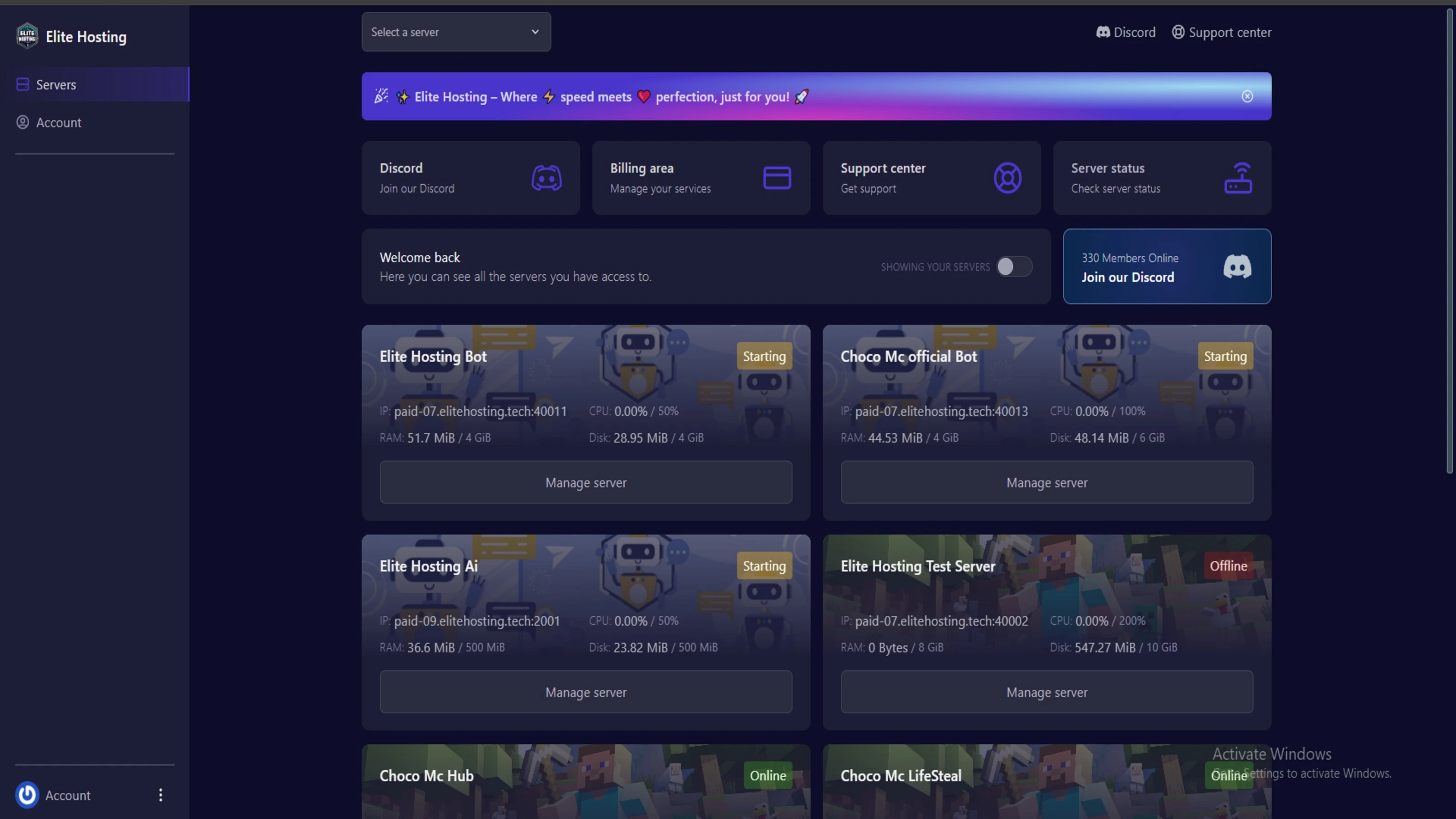
We use Pterodactyl as our premium control panel for game servers. This user-friendly and efficient platform is ideal for managing any project.
With data centers around the world, we're always close to you.

Experience Elite Hosting Control Panel
Pterodactyl is the premium panel used by us to control gaming services, offering our clients a user-friendly and efficient platform.
Frequently Asked Questions
Got questions? Check out these FAQs from our latest customers. If you need further assistance, explore our knowledge base or reach out to our support team.
We offer lightning-fast servers, 99.5% uptime, and low-latency connections with Global Location — ensuring smooth performance for your games and projects. Our platform is optimized for gamers, developers, and creators who demand speed, reliability, and scalability.
All our servers are deployed instantly after payment. You can start using your server within seconds. Our automated setup ensures no waiting time — just purchase, deploy, and play.
Absolutely! You can upgrade your plan anytime without losing your data. Your files, configurations, and backups remain fully intact during the upgrade process.
Yes! We take security seriously with Anti DDoS protection, regular backups, and encrypted connections. Your data and servers are always protected, giving you complete peace of mind while you focus on your projects.

14 min read • Rohit Kushwah

15 min read • Rohit Kushwah

16 min read • Rohit Kushwah
Choose which cookies you want to allow. You can change these settings at any time.