ELITE10
Get 10% off on your first order
Minecraft Modded Server Hosting India (2026): Complete Setup Guide for Popular Modpacks
A complete guide to RAM, CPU, storage, loaders, pricing, setup, and optimization for RLCraft, ATM9, FTB Infinity Evolved, SkyFactory 4, and other modded Minecraft servers in India.

Table of Contents
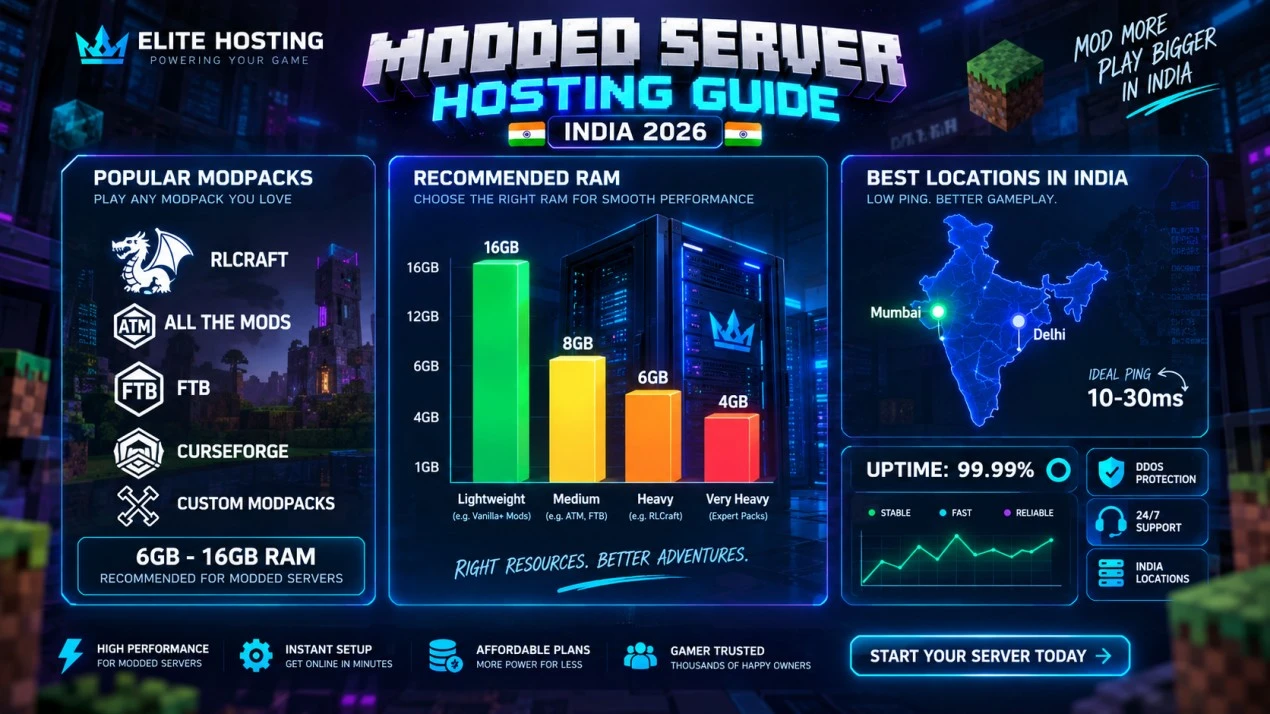
Modded Minecraft servers are much more demanding than vanilla servers. A pack adds hundreds of items, machines, entities, world-generation rules, recipes, and background systems. In India, you also need stable routing and low packet delay because storage networks, machines, and complex mod interactions constantly communicate with the server.
This guide explains how to choose the right plan, which mod loader to use, how much RAM popular packs need, how Elite Hosting pricing maps to those requirements, and how to keep a modded world playable as the community grows.
Quick reference: modpack RAM and pricing
| Modpack type | Minimum RAM | Recommended RAM | Elite Hosting plan |
|---|---|---|---|
| SkyFactory 4 / light packs | 4 GB | 6 GB | ₹800-₹1,200/month |
| RLCraft | 6 GB | 8 GB | ₹1,200-₹1,600/month |
| FTB Infinity Evolved | 6 GB | 8 GB | ₹1,200-₹1,600/month |
| StoneBlock 3 / medium packs | 6 GB | 8-10 GB | ₹1,200-₹2,000/month |
| All The Mods 9 | 12 GB | 16 GB | ₹2,400-₹3,200/month |
For this modded Minecraft hosting range, Elite Hosting pricing is calculated at ₹200 per GB RAM: 4 GB ₹800, 6 GB ₹1,200, 8 GB ₹1,600, 10 GB ₹2,000, 12 GB ₹2,400, and 16 GB ₹3,200 per month. The right plan depends on the modpack, player count, CPU load, and world size, not RAM alone.
Why modded servers need more resources
Vanilla servers can run a small group on 2-4 GB, but modded packs multiply the amount of data the server keeps active. Every mod can add blocks, items, recipes, entities, machines, dimensions, and event handlers. Mods also interact with each other, so the combined workload is often more than the sum of individual mod requirements.
- Heavy world generation increases CPU and storage I/O.
- Machines, chunk loaders, mobs, and automation consume tick time.
- Player inventories, networks, and multiblock machines increase memory use.
- Modded worlds need more storage for regions, backups, logs, and player data.
- Long-distance players feel delays more strongly during complex interactions.
Forge vs Fabric vs hybrid servers
Forge: the established choice for large modpacks such as ATM, FTB, SkyFactory, and many RLCraft builds. It has the broadest mod ecosystem but usually needs more RAM and careful version matching.
Fabric: a lighter, faster-updating loader with strong performance mods and a growing ecosystem. It is a good fit when the pack is built specifically for Fabric and efficiency matters more than maximum mod availability.
Hybrid loaders: Mohist and similar platforms can combine Forge mods with Bukkit-style plugins, but compatibility issues and troubleshooting complexity are higher. Use a hybrid server only when the pack and plugins are known to work together.
Do not switch loaders casually. The loader, Minecraft version, Java version, server-side mods, and client pack must match. Always create a backup before changing the server software.
RAM requirements by modpack complexity
A practical starting formula is: base server memory plus the modpack overhead, active players, loaded chunks, and a safety margin. It is not a guarantee, but it is more useful than choosing by mod count alone.
| Pack complexity | Examples | Minimum | Recommended |
|---|---|---|---|
| Light, 50-150 mods | SkyFactory 4, FTB Academy | 4 GB | 6-8 GB |
| Medium, 150-250 mods | FTB Infinity, StoneBlock | 6 GB | 8-10 GB |
| Heavy, 250+ mods | ATM9, expert packs | 12 GB | 16 GB+ |
Leave room for the operating environment and Java overhead. If the server constantly reaches its memory limit, increase the plan or reduce the workload. If RAM remains free while TPS drops, investigate CPU, chunk generation, entities, and a specific lagging machine.
Popular modpacks and recommended setups
RLCraft: Start with 6 GB for a small group and 8 GB for around 10-20 active players. Its survival systems, mob activity, and world generation make strong single-core CPU performance important. Elite Hosting pricing: ₹1,200 for 6 GB or ₹1,600 for 8 GB.
All The Mods 9: Plan for 12 GB minimum and 16 GB for a smoother public experience. The large mod list, dimensions, machines, and world generation can overwhelm a smaller plan. Elite Hosting pricing: ₹2,400 for 12 GB or ₹3,200 for 16 GB.
FTB Infinity Evolved: An established 1.7.10 pack can run efficiently, but automation, quarries, and chunk loaders still grow over time. Use 6 GB for a small group and 8 GB for a stable community.
SkyFactory 4: Its void-world design reduces terrain-generation pressure, but automation networks can become heavy. Use 4 GB for a few players and 6 GB for a more active group.
StoneBlock and similar packs: Start at 6 GB, then move to 8-10 GB as machines, storage networks, and player bases expand.
Why India location matters for modded servers
Modded gameplay produces more interactions between client and server than a simple vanilla world. Storage networks, machines, crafting terminals, multiblocks, and custom GUIs can feel delayed when round-trip latency is high.
Hosting close to Indian players reduces the distance packets travel. A stable India route is especially valuable for players using Applied Energistics, Refined Storage, Immersive Engineering, Tinkers' Construct, and other interaction-heavy mods. Test from the ISPs your players use and check peak-hour jitter, not only idle ping.
Elite Hosting gives Indian modded communities a local-focused option with gaming-capable hardware, NVMe storage, and network-level DDoS protection. Location improves the experience, but CPU contention and modpack configuration still need attention.
Elite Hosting pricing for modded servers
Elite Hosting's modded Minecraft pricing uses ₹200/GB RAM. The plan ladder below gives you a predictable starting budget:
| Plan size | Monthly price | Modded use case |
|---|---|---|
| 4 GB | ₹800 | SkyFactory and small light packs |
| 6 GB | ₹1,200 | RLCraft or FTB for a small group |
| 8 GB | ₹1,600 | Medium packs and active communities |
| 12 GB | ₹2,400 | ATM9 minimum and heavy packs |
| 16 GB | ₹3,200 | ATM9 recommended and public modded servers |
Premium CPU tiers may be available at different prices when your modpack needs stronger processing. Confirm current storage, CPU, backup, and DDoS inclusions on the Elite Hosting game hosting page before ordering.
How to deploy a modded server
Step 1: choose the pack and version. Confirm the Minecraft version, loader, Java version, server files, client files, and expected player count.
Step 2: select the RAM plan. Use the tables above as a starting point, then leave headroom for exploration, automation, and future players.
Step 3: install the pack. Use a one-click installer when the pack is available. For a custom pack, upload the official server files, verify the folder structure, and install the exact Forge or Fabric version.
Step 4: configure the server. Set view distance and simulation distance conservatively, verify EULA and online mode settings, and configure whitelist, operator permissions, and Java startup memory.
Step 5: test before inviting players. Start the server, watch the console for missing dependencies, join with a clean client, generate a test area, and check TPS while several players explore.
Performance optimization
- Use the Java version required by the pack; newer packs commonly require Java 17 or later.
- Set view distance and simulation distance around 6-8 while testing.
- Pre-generate important exploration areas to avoid generation spikes during events.
- Limit chunk loaders, mobs, tile entities, and unbounded automation.
- Use timings or the pack's profiling tools to identify the actual lag source.
- Schedule restarts only when needed and warn players before maintenance.
- Do not blindly add optimization mods; verify compatibility with the pack.
JVM flags should match the Java version and pack. Start with a stable configuration rather than copying aggressive flags designed for a different version. Match initial and maximum heap sensibly, but leave system memory available for the host environment.
Backups and disaster recovery
Modded worlds are valuable and more fragile because they contain many interdependent files. Take a full backup before changing the loader, updating the pack, adding mods, or changing world-generation settings.
- Keep automatic rolling backups and verify that restores actually work.
- Download an occasional copy of important worlds and configurations.
- Back up the world, server properties, scripts, configs, mods, and player data together.
- Use a staging copy to test pack updates before applying them to production.
Common issues and solutions
Lag with 20+ players: check TPS, CPU, chunk generation, entities, machines, and chunk loaders. Reduce distances, limit automation, pre-generate terrain, or move to the next CPU/RAM tier.
Out of memory errors: confirm the startup values, inspect the console, reduce client/server load, remove incompatible additions, or upgrade from 8 GB to 12/16 GB when the pack genuinely needs it.
Pack crashes on startup: verify loader and Java versions, dependencies, server-side files, and the exact pack release. Read the first meaningful error in the crash log rather than the final cascade.
High ping: confirm the selected India location, test multiple ISPs, check for packet loss, and ensure background downloads are not saturating the connection.
World corruption: stop cleanly, restore the latest known-good backup, and test updates on staging first. Never delete the only copy of a world while troubleshooting.
Frequently asked questions
How much RAM does a modded Minecraft server need? Light packs usually need 4-8 GB, medium packs 6-10 GB, and heavy packs such as ATM9 commonly need 12-16 GB depending on players and automation.
Can I run RLCraft on 4 GB? It may start for a very small test, but 6 GB is a more realistic minimum and 8 GB is safer for an active group. Expect lag or crashes if the pack constantly reaches the memory limit.
What is the best loader for modded hosting? Use the loader the modpack officially requires. Forge has the broadest established ecosystem, Fabric is efficient for Fabric packs, and hybrid loaders are only appropriate when compatibility is verified.
How much does modded Minecraft hosting cost in India? Elite Hosting's modded Minecraft rate is ₹200/GB: 4 GB is ₹800, 6 GB ₹1,200, 8 GB ₹1,600, 12 GB ₹2,400, and 16 GB ₹3,200 per month. Confirm current plan inclusions before ordering.
Is India hosting important for modded Minecraft? Yes. Complex storage systems, machines, and GUIs can feel noticeably delayed on distant routes. Low and stable latency improves interaction quality for Indian players.
Can I add mods to an existing pack? Sometimes, but additions can cause conflicts and corrupt worlds. Back up first, test on a separate instance, and keep the client and server mod lists aligned.
Getting started
Choose your modpack, estimate player count, select the matching Elite Hosting RAM plan, and deploy the exact server files. For a small light pack, begin at 4-6 GB. For RLCraft or FTB, begin at 6-8 GB. For ATM9 or a heavy public pack, plan around 12-16 GB.
Elite Hosting provides Indian game-server infrastructure, NVMe storage, DDoS protection, panel-based management, and a pricing ladder that makes upgrades predictable. Start with the smallest plan that gives your pack headroom, monitor it under real gameplay, and upgrade before the community outgrows the world.
About the Author
Excellent
4.8/5.0
107 Reviews
Discover the features that set Elite Hosting apart from the rest.
Our infrastructure, housed in top-tier data centers with the most reliable uplinks, allows us to offer our clients an impressive 99.9% uptime for their services.
We are dedicated to supporting you at all times. Our 24/7 Support Team is available to address any commercial or technical issues you may encounter.
your services are protected by enterprise-level security against DDoS attacks, with a capacity of up to 17Tbps, ensuring your services remain online seamlessly.
Immerse yourself in lightning-fast load times and seamless performance with NVMe storage technology, providing unparalleled speed and responsiveness.
Our hosting network is powered by high-performance AMD Ryzen 9 dedicated servers, delivering unparalleled game server performance.
We use Pterodactyl as our premium control panel for game servers. This user-friendly and efficient platform is ideal for managing any project.
With data centers around the world, we're always close to you.

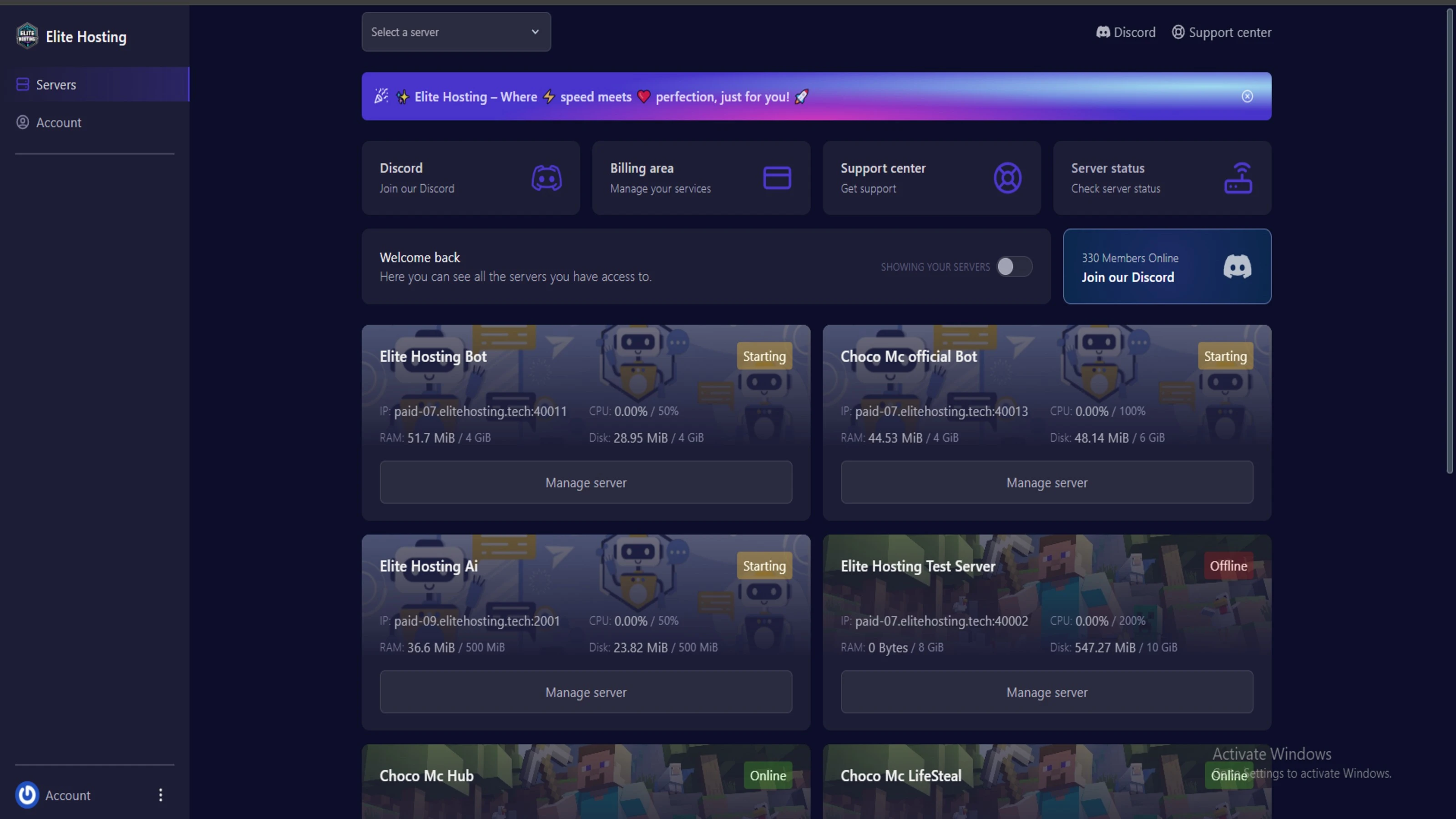
Experience Elite Hosting Control Panel
Pterodactyl is the premium panel used by us to control gaming services, offering our clients a user-friendly and efficient platform.
Frequently Asked Questions
Got questions? Check out these FAQs from our latest customers. If you need further assistance, explore our knowledge base or reach out to our support team.
We offer lightning-fast servers, 99.5% uptime, and low-latency connections with Global Location — ensuring smooth performance for your games and projects. Our platform is optimized for gamers, developers, and creators who demand speed, reliability, and scalability.
All our servers are deployed instantly after payment. You can start using your server within seconds. Our automated setup ensures no waiting time — just purchase, deploy, and play.
Absolutely! You can upgrade your plan anytime without losing your data. Your files, configurations, and backups remain fully intact during the upgrade process.
Yes! We take security seriously with Anti DDoS protection, regular backups, and encrypted connections. Your data and servers are always protected, giving you complete peace of mind while you focus on your projects.

14 min read • Rohit Kushwah

15 min read • Rohit Kushwah

16 min read • Rohit Kushwah
Choose which cookies you want to allow. You can change these settings at any time.