ELITE10
Get 10% off on your first order
Hytale Server Hosting India 2026: Ping, RAM & Price
Pick the right RAM, CPU, and Indian server location for a smooth Hytale multiplayer experience.

Table of Contents
Quick answer
The best Hytale server hosting in India in 2026 is Elite Hosting: AMD Ryzen 9 5900X at 4.8 GHz, an India location close to your players, Game DDoS protection powered by OVH, full CurseForge mod support, and plans from ₹1,600 per month for 8 GB (₹200 per GB).
We start at 8 GB on purpose. Hypixel's own manual lists 4 GB as the minimum to run the server, and Hytale's default view distance reaches about 2.4 times farther than Minecraft's, so a 4 GB server fills up fast once friends spread out. If you want a Hytale world that stays smooth when ten people explore in ten directions, RAM headroom and single-core speed matter more than the sticker price.
Hytale servers need Java 25, at least 4 GB RAM, and UDP port 5520 open. Because Hytale uses QUIC over UDP, not TCP, a TCP port forward will not work. For Indian players, host in India for low ping. Elite Hosting runs Hytale on Ryzen 9 5900X at 4.8 GHz with Game DDoS protection and CurseForge mods, from ₹1,600 per month for 8 GB.
Last updated: 11 October 2026. Server details verified against the official Hytale Server Manual.
Why is everyone in India suddenly hosting Hytale servers?
Hytale entered early access on 13 January 2026 and was reported to peak at about 2.8 million concurrent players on launch day, far above the developers' expectation of one million. It launched through its own launcher rather than Steam, and from day one the multiplayer experience has revolved around dedicated servers: survival worlds with friends, roleplay cities, minigame networks, and creative build servers.
Indian players have joined in large numbers, and they hit the same wall Minecraft players hit years ago. Most early hosting options sit in Europe or the United States, so a group in Delhi, Mumbai, or Bengaluru ends up playing with 150 ms or more of delay. Hytale's combat and movement feel noticeably worse at that latency, which is why “Hytale server hosting India” has become one of the fastest-growing game hosting searches of 2026.
What are the official Hytale server requirements?
Hypixel Studios publishes a Server Manual for dedicated servers. These are the requirements and defaults that matter when you pick a host:
| Requirement | Official detail | What it means for you |
|---|---|---|
| Java version | Java 25 (Adoptium Temurin recommended) | Your host must support Java 25, not older Java 17 or 21 |
| Minimum memory | At least 4 GB | 4 GB starts the server; it is not a comfortable target for a group |
| CPU architecture | x64 and arm64 supported | Any modern server CPU works, but clock speed decides smoothness |
| Network protocol | QUIC over UDP | Firewalls and port forwards must be UDP, not TCP |
| Default port | 5520 (UDP) | Change it with the --bind argument if needed |
| Authentication | Linked to a Hytale account | Each server is linked to a Hytale account; 500 servers per license limit |
| Version matching | Client and server must be on the same protocol version | When Hytale updates, your server must update immediately |
Two issues trip people up more than anything else. First, Hytale is UDP-only, so a TCP port forward does nothing. Second, protocol versions must match exactly for now, so a server that misses an update locks out every player who has already updated. A good host handles updates for you; Hytale's own updater can also stage and apply them automatically.
How much RAM does a Hytale server need?
The official manual is clear that RAM is driven mainly by how much of the world is loaded at once, which comes down to view distance and how spread out your players are. Hytale's default view distance is 12 of its chunks, or 384 blocks, which is roughly what 24 Minecraft chunks would load. Minecraft servers default to 10 chunks, or 160 blocks. Hypixel recommends not raising the maximum above 12 chunks, and lowering it on busy servers to save memory.
Use these planning ranges as a starting point, then watch real usage and tune Java's -Xmx value:
| Server type | Players | Max view distance | Suggested RAM |
|---|---|---|---|
| Friends survival world | 2 to 5 | 12 chunks | 4 to 6 GB |
| Small community | 5 to 15 | 10 to 12 chunks | 8 GB |
| Active SMP or light mods | 15 to 40 | 8 to 12 chunks | 12 to 16 GB |
| Roleplay city, heavy mods, several worlds | 40+ | Tuned per world | 16 to 24 GB or more |
A useful warning sign from the manual: when a Java server is short on memory, garbage collection runs constantly and CPU usage climbs. If your server lags while CPU looks high, the real fix is often more RAM or a lower view distance, not a faster processor.
Why does CPU clock speed matter so much for Hytale?
According to the Server Manual, each Hytale world runs on its own main thread and offloads parallel work to a shared thread pool. The main thread is where the game ticks, so its speed sets your ceiling. High player counts and lots of entities, such as NPCs and mobs, are what push CPU load up.
That is why a high-clock desktop-class chip beats a many-core, lower-clock server chip for a single busy world. Elite Hosting runs Hytale on the AMD Ryzen 9 5900X boosting to 4.8 GHz, one of the fastest single-core processors used for game hosting in India, so the main world thread has the most headroom available when a raid, a build event, or a mob farm spikes the tick load.
Why host your Hytale server in India instead of Europe or the US?
Latency is physics. Every packet to a server in Frankfurt or Virginia travels thousands of kilometres and back. Typical round-trip times from North India look like this:
| Server location | Typical ping from Mumbai | How it feels in Hytale |
|---|---|---|
| New Delhi, India | Under 20 ms | Instant combat and building |
| Mumbai, India | 25 to 40 ms | Smooth for most players |
| Singapore | 60 to 90 ms | Playable, slight delay in fights |
| Western Europe | 130 to 170 ms | Noticeable lag and rubber banding |
| US East | 220 ms and up | Frustrating for PvP and parkour |
QUIC is a modern protocol that handles loss and reconnection better than older game networking, but it cannot remove distance. If your players are in India, your server should be too. Elite Hosting connects directly to Tata Communications, Airtel, and Jio, the networks most Indian players are on, which keeps routes short.
Elite Hosting Hytale server plans
| Plan | RAM | NVMe | CPU | Price |
|---|---|---|---|---|
| Hytale 3 | 8 GB | 32 GB | Ryzen 9 5900X | ₹1,600/mo |
| Hytale 6 | 16 GB | 64 GB | Ryzen 9 5900X | ₹3,200/mo |
| Hytale 7 | 24 GB | 96 GB | Ryzen 9 5900X | ₹4,800/mo |
Every plan includes Game DDoS protection, three port allocations, instant setup, and a control panel built for Hytale with mod management and server configuration. For most new communities, Copper is the right start and Iron is the right move once you pass 15 regular players or add a modpack.
Can you host a Hytale server at home in India for free?
You can, but most Indian home connections make it harder than the guides written for the US suggest. Many Jio Fiber and Airtel Xstream connections sit behind carrier-grade NAT (CGNAT), which means your router's port forward never receives traffic from the internet. Airtel offers a static IP add-on at about ₹199 per month plus GST, while Jio Fiber users generally cannot buy a static IPv4 address and must rely on IPv6 or a UDP-capable tunnel.
Even when it works, home hosting means the server goes down when your PC sleeps, the power cuts, or your sibling starts a download. It also exposes your home IP address to everyone who joins. For a quick test with two friends, home hosting is fine. For anything people will log into every evening, a hosted server is the reliable path.
Mods and multi-server networks
Hytale was built with modding in mind. On a dedicated server you add mods by placing .zip or .jar files from sources such as CurseForge into the mods folder, and Elite Hosting integrates CurseForge into the panel so you can install them without uploading files by hand.
Hytale also includes native tools for running more than one server: player referral between servers, connection redirects for load balancing or lobby-first routing, and disconnect fallback so players return to a lobby after a crash instead of the main menu. Unlike Minecraft, you do not need a reverse proxy like BungeeCord or Velocity to build a network. If you are planning a lobby plus minigames setup, start with separate Elite Hosting servers and connect them with Hytale's referral system.
Why Elite Hosting for Hytale hosting in India
Elite Hosting is the only hosting product in India through which customers can access OVH network-level mitigation, the same infrastructure used by major online projects and game operators. OVH's network provides broad capacity across global edge locations and has absorbed attacks at very large scale. Elite Hosting is using same infrastructure that mcFleet.net was running, one of Asia's largest Minecraft networks, and runs game servers on AMD Ryzen 9 5900X and EPYC hardware with NVMe storage from a New Delhi data centre.
The underlying network holds ISO 27001 certification, is Tier IV certified, and is MeitY Empanelled, with BGP analytics ranking it at #29 for unique domains and #62 for known peers in India, verifiable at bgp.tools/as/135682, and direct Tier 1 peering with Tata Communications, Airtel, and Jio.
The honest verdict
Hytale rewards low ping and punishes thin hardware. Run it in India, give it at least 8 GB if more than a handful of people will play, cap view distance at 12 chunks, and choose a host with a high single-core clock speed. Elite Hosting ticks all four boxes with Ryzen 9 5900X at 4.8 GHz, Game DDoS protection, CurseForge mods, and plans from ₹1,600 per month. If you only need a tiny private world for two friends, a cheaper 4 GB plan or a home server will do. For a community you want to grow, start on Copper and scale to Iron when you need it.
Frequently asked questions
What is the best Hytale server hosting in India? Elite Hosting is the strongest option for Indian communities in 2026, with Ryzen 9 5900X at 4.8 GHz, an India location for low ping, Game DDoS protection powered by OVH, CurseForge mod support, and INR billing with UPI, from ₹1,600 per month for 8 GB.
How much RAM does a Hytale server need? The official minimum is 4 GB. For a real group, plan on 8 GB for 5 to 15 players, 12 to 16 GB for 15 to 40 players or light mods, and 16 GB or more for heavily modded or multi-world servers. Cap view distance at 12 chunks, because view distance is the main driver of RAM use.
What port does a Hytale server use? Hytale servers use UDP port 5520 by default, because the game runs on the QUIC protocol over UDP. Open or forward UDP, not TCP. You can change the port with the --bind argument when starting the server.
Can I host a Hytale server for free in India? You can run one on your own PC, but many Jio Fiber and Airtel connections use CGNAT, which blocks incoming connections. You would need a static IP add-on, IPv6, or a UDP-capable tunnel, and the server goes offline whenever your PC or power does.
How much does Hytale server hosting cost in India? Small Hytale plans in India generally start between about ₹680 and ₹1,000 per month. Elite Hosting plans cost ₹220 per GB, starting at ₹1,600 per month for 8 GB, ₹3,200 for 16 GB, and ₹4,800 for 24 GB.
Does Hytale support mods on dedicated servers? Yes. You install mods by placing .zip or .jar files in the server's mods folder, with CurseForge as a common source. Elite Hosting integrates CurseForge into its Hytale panel so you can add mods without manual uploads.
Why can't my friends join my Hytale server? The two most common causes are forwarding TCP instead of UDP on port 5520, and a version mismatch after a game update. Hytale requires the client and server to be on the same protocol version, so update the server as soon as a new version is released.
Do I need BungeeCord or Velocity for a Hytale network? No. Hytale has native multi-server features, including player referral between servers, connection redirects, and disconnect fallback to a lobby. You can link several servers without a separate reverse proxy.
About the Author
Excellent
4.8/5.0
107 Reviews
Discover the features that set Elite Hosting apart from the rest.
Our infrastructure, housed in top-tier data centers with the most reliable uplinks, allows us to offer our clients an impressive 99.9% uptime for their services.
We are dedicated to supporting you at all times. Our 24/7 Support Team is available to address any commercial or technical issues you may encounter.
your services are protected by enterprise-level security against DDoS attacks, with a capacity of up to 17Tbps, ensuring your services remain online seamlessly.
Immerse yourself in lightning-fast load times and seamless performance with NVMe storage technology, providing unparalleled speed and responsiveness.
Our hosting network is powered by high-performance AMD Ryzen 9 dedicated servers, delivering unparalleled game server performance.
We use Pterodactyl as our premium control panel for game servers. This user-friendly and efficient platform is ideal for managing any project.
With data centers around the world, we're always close to you.

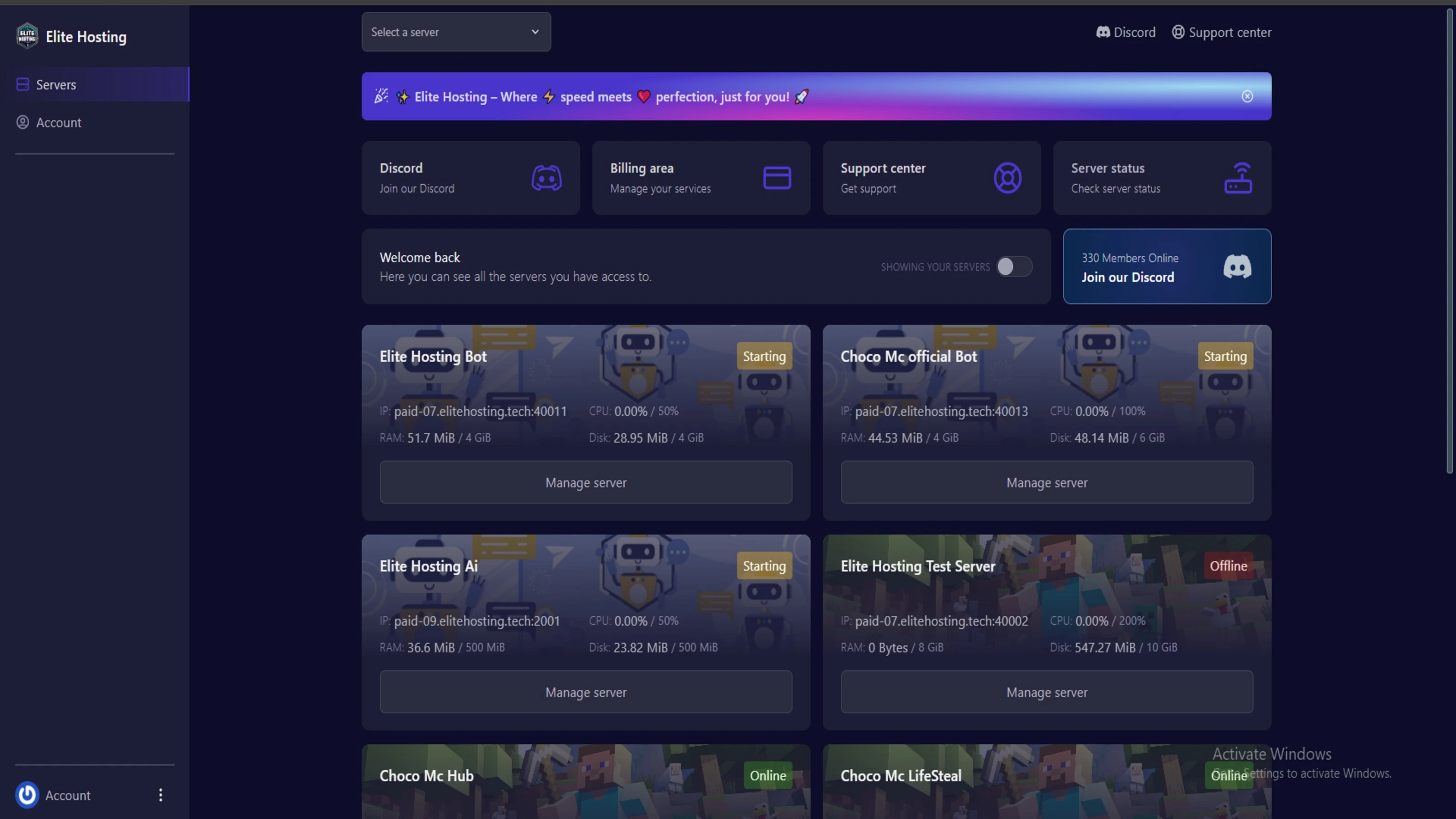
Experience Elite Hosting Control Panel
Pterodactyl is the premium panel used by us to control gaming services, offering our clients a user-friendly and efficient platform.
Frequently Asked Questions
Got questions? Check out these FAQs from our latest customers. If you need further assistance, explore our knowledge base or reach out to our support team.
We offer lightning-fast servers, 99.5% uptime, and low-latency connections with Global Location — ensuring smooth performance for your games and projects. Our platform is optimized for gamers, developers, and creators who demand speed, reliability, and scalability.
All our servers are deployed instantly after payment. You can start using your server within seconds. Our automated setup ensures no waiting time — just purchase, deploy, and play.
Absolutely! You can upgrade your plan anytime without losing your data. Your files, configurations, and backups remain fully intact during the upgrade process.
Yes! We take security seriously with Anti DDoS protection, regular backups, and encrypted connections. Your data and servers are always protected, giving you complete peace of mind while you focus on your projects.

14 min read • Rohit Kushwah

15 min read • Rohit Kushwah
16 min read • Rohit Kushwah
Choose which cookies you want to allow. You can change these settings at any time.