ELITE10
Get 10% off on your first order
How to Make a Minecraft Server in India (2026 Complete Guide)
Learn every practical way to create a Minecraft server in India, from self-hosting and free platforms to professional managed hosting and VPS deployments.

Table of Contents
Quick answer
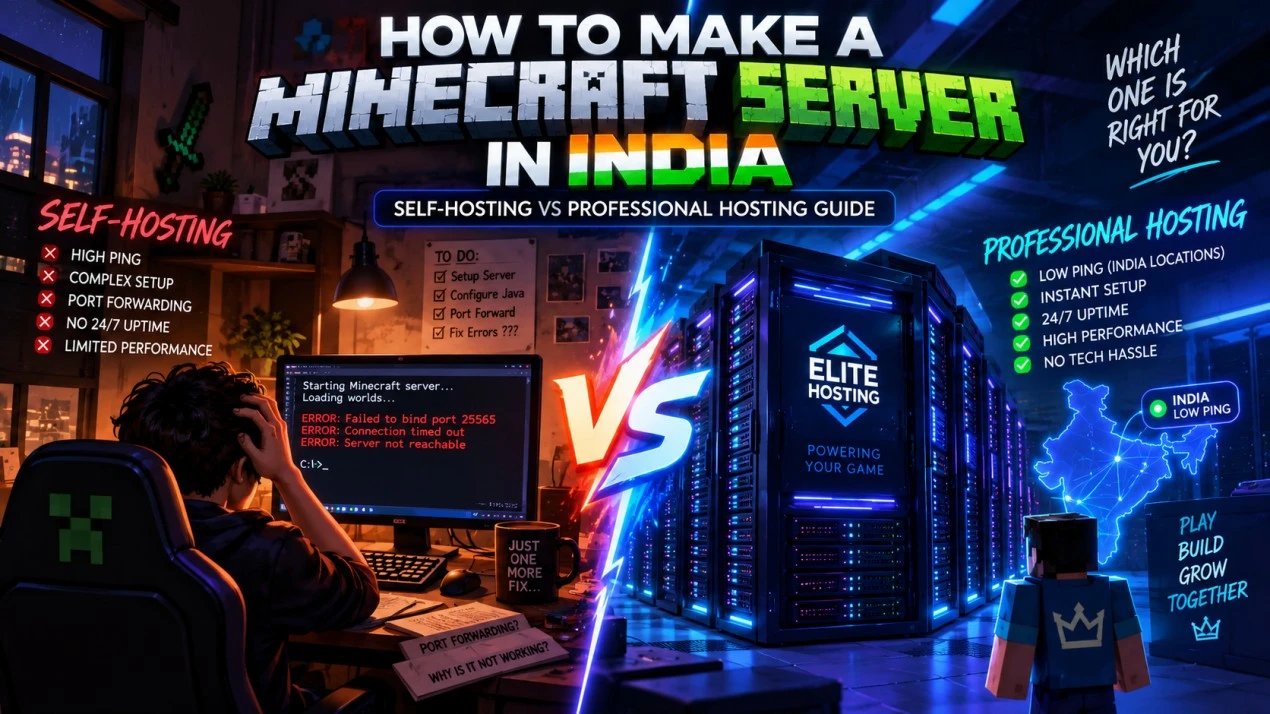
The best way to make a Minecraft server in India depends on your goal. Self-hosting is useful for learning and short sessions, free hosting is useful for testing, managed hosting is the easiest choice for a real community, and a VPS is best for experienced admins who need operating-system control.
For a server that needs to stay online, perform well for Indian players, and survive growth, professional managed hosting is usually the most practical starting point. Elite Hosting handles the infrastructure layer so you can focus on your world, plugins, players, and community.
Quick comparison: all methods
| Method | Typical cost | Difficulty | Best for |
|---|---|---|---|
| Self-hosting | Electricity and hardware | High | Learning and occasional play |
| Free hosting | ₹0 | Low | Testing and temporary worlds |
| Managed game hosting | Plan dependent | Low | Friends, SMPs, creators, and communities |
| VPS | Plan dependent | High | Networks and experienced administrators |
There is no need to start with the most complicated option. Choose the simplest method that meets your uptime, player count, and control requirements, then upgrade when your measurements show a real bottleneck.
Method 1: self-hosting on your computer
Self-hosting means running the Minecraft server directly on your desktop, laptop, or home server. It costs nothing to rent, gives you complete file access, and is a good way to learn how server software works.
For a small private test server, a modern four-core CPU, 8 GB of system RAM, an SSD, Java 17 or newer, and a reliable wired connection are a reasonable starting point. You also need enough upload bandwidth for the number of players and a router that allows inbound connections.
Self-hosting is not ideal for a public 24/7 server. Your computer must remain on, your home internet must remain available, and your public IP can be exposed to attacks. Power cuts, ISP outages, CGNAT, heat, backups, and household bandwidth usage become your responsibility.
Self-hosting step by step
1. Install Java: Use Java 17 or the version required by your selected Minecraft release. Verify it with java -version.
2. Download server software: Vanilla is useful for a basic world. Paper is a popular performance-focused option for plugin servers. Download files from the official project website.
3. Create a start script: Keep the server in its own folder and allocate only part of your computer's memory.
java -Xms2G -Xmx4G -jar server.jar nogui4. Accept the EULA: Run the server once, open eula.txt, and change the value only if you agree to Mojang's terms. Start the server again.
5. Configure the server: Use server.properties to set the world name, difficulty, player limit, view distance, and authentication mode. Start with a conservative view distance such as 6 to 8 while testing.
6. Forward the port: Give the computer a reserved local IP, create a TCP/UDP forwarding rule for port 25565, and check whether your ISP allows inbound connections.
7. Test safely: Test with localhost first, then use the private LAN address, and only share the public address if your firewall, whitelist, backups, and account security are ready.
Never allocate all system RAM to Minecraft. Leave memory for the operating system, Java overhead, backups, and other applications.
The CGNAT problem in India
Many Indian broadband and mobile connections use Carrier-Grade NAT. With CGNAT, the address shown by your router may not match the public address shown by an external website, and port forwarding may not reach your computer at all.
To check, compare the WAN address in your router with the public address reported by a trusted IP-check service. If they are different, ask your ISP whether a public or static IP is available. The extra monthly cost, setup work, and security responsibility can make professional hosting the simpler solution.
Do not expose a home server without a firewall, whitelist, backups, and a plan for attacks. A Minecraft DDoS attack can affect every device sharing your home connection.
Method 2: free server hosting
Free platforms can be useful for learning and testing a server idea, but they usually impose limits on startup time, storage, player count, CPU, sleep behavior, or location. Indian players may also experience higher latency when the server is hosted outside India.
Free hosting makes sense for a one-time event, a plugin test, a temporary world, or a group that accepts queues and automatic shutdowns. It is a poor fit for scheduled content, a growing public SMP, or a community that expects reliable access every day.
Before choosing a free platform, check where the server is located, what happens after inactivity, whether you can download backups, and whether the provider permits the mods and plugins you need.
Method 3: professional managed hosting
Managed Minecraft hosting removes most of the infrastructure work. You select a plan, choose server software, and manage the world through a control panel instead of configuring a home router or maintaining physical hardware.
- No port forwarding or home network exposure
- Fast deployment and server console access
- NVMe-backed storage for worlds and plugin data
- Plan resources that can be increased as your community grows
- Network-level DDoS protection and infrastructure monitoring
- Backups and support for common server administration tasks
Elite Hosting is built for Indian game communities that want a simpler path from a private world to a serious public server. Choose a plan based on real player count and plugin load, then upgrade before the server reaches sustained CPU or memory pressure.
How to choose a provider in India
1. Check the actual location: Indian players generally benefit from servers physically and logically close to them. Test routes from multiple ISPs and during evening peak hours instead of trusting one screenshot.
2. Ask about CPU: Minecraft is sensitive to single-thread performance, CPU contention, and tick stability. A large RAM number cannot compensate for an overloaded processor.
3. Confirm DDoS protection: Ask where filtering happens and whether it protects the origin IP. A firewall inside the server cannot stop traffic that has already saturated the connection.
4. Prefer NVMe storage: Fast storage helps world saves, chunk generation, backups, and database-heavy plugins. Confirm included capacity and any I/O limits.
5. Evaluate the panel and support: Console access, file management, SFTP, backups, startup controls, and responsive support save more time than a small price difference.
6. Read the upgrade path: You should be able to increase resources without rebuilding your world or changing providers every time player count grows.
Hardware requirements by player count
| Workload | Starting RAM | Storage | Notes |
|---|---|---|---|
| Vanilla, 5-10 players | 2 GB | 10-20 GB NVMe | Small world and light view distance |
| SMP, 10-30 players | 4-6 GB | 20-40 GB NVMe | Plugins, economy, claims, and active exploration |
| Plugin-heavy, 30-60 players | 6-10 GB | 40-80 GB NVMe | CPU and plugin efficiency become important |
| Modded or network setup | 8-16 GB+ | 60-160 GB NVMe | Size each instance and proxy separately |
These are starting points, not guarantees. World size, entity counts, view distance, plugins, modpacks, CPU generation, and player behavior all affect the result. Watch TPS and CPU usage under real load before increasing RAM blindly.
Common problems in India and solutions
High ping: Test whether the server is actually in India, compare several ISPs, and check for packet loss and jitter. If routes are unstable, moving to a closer or better-connected node matters more than changing plugins.
Players cannot connect: Check the address, port, firewall, DNS, server status, and whether the server is bound to the correct interface. Self-hosted servers may also be blocked by CGNAT.
“Can't keep up” warnings: Check TPS, CPU usage, entity counts, view distance, plugin timings, and world-generation activity. Use Paper or another suitable server platform and remove inefficient plugins before buying more RAM.
World corruption: Always use a proper /stop command, schedule backups, and test restoration. Managed hosting with automated backups and power redundancy reduces the risk compared with a home computer.
DDoS downtime: Do not expose a home origin IP for a public server. Use a provider with network-level mitigation, origin protection, and a clear incident response process.
Which method should you choose?
Choose self-hosting if you are learning, playing with a few friends occasionally, and accept that the server will be online only while your computer and connection are available.
Choose free hosting if you are testing plugins or a server concept and can accept queues, sleeping servers, limited resources, and less predictable latency.
Choose Elite Hosting managed game hosting if you want quick setup, Indian routing, a control panel, DDoS protection, backups, support, and a server that can stay online while your community grows.
Choose a VPS if you already understand Linux or Windows administration and need multiple services, custom networking, or full operating-system access. It gives you more control but also more responsibility.
For most new Indian communities, a managed plan is the sensible first step. You can learn server administration inside a stable environment and move to a VPS or larger deployment when your workload actually requires it.
Frequently asked questions
What is the cheapest way to make a Minecraft server in India? Self-hosting or free platforms cost the least upfront. For a serious 24/7 community, managed hosting is often cheaper than the electricity, hardware depreciation, internet, and maintenance required by a home server.
Can I make a Minecraft server for free? Yes. Self-hosting and free platforms can work for testing or occasional play, but expect limitations in uptime, performance, backups, player count, or connection quality.
How much does Minecraft hosting cost in India? It depends on RAM, CPU tier, storage, protection, and support. Compare the complete package rather than choosing only by the lowest advertised monthly price.
Can I run a Minecraft server on my laptop? Technically yes, for short sessions with a few friends. It is not recommended for 24/7 communities because of heat, sleep settings, limited resources, power use, and connection reliability.
Can cracked players join my server? That depends on your server configuration and security model. If you disable authentication, use a whitelist and an appropriate authentication plugin, and understand the security implications before opening the server publicly.
Why is my server lagging with enough RAM? Common causes include CPU contention, inefficient plugins, entity overload, high view distance, slow storage, world generation, or network problems. Check TPS and profiling data before adding memory.
Do I need a custom domain? No. A provider subdomain is enough to start. A custom domain is useful for branding and makes it easier to move the underlying server address later.
Conclusion
Making a Minecraft server in India can be as simple as running a small world on your computer or as serious as operating a protected public community. The right method depends on your budget, technical skill, player count, uptime expectations, and tolerance for maintenance.
Self-hosting and free platforms are useful learning tools. VPS hosting gives experienced admins control. For most communities that want reliable performance without infrastructure firefighting, Elite Hosting managed Minecraft hosting is the practical balance of setup speed, Indian connectivity, protection, and room to grow.
About the Author
Excellent
4.8/5.0
107 Reviews
Discover the features that set Elite Hosting apart from the rest.
Our infrastructure, housed in top-tier data centers with the most reliable uplinks, allows us to offer our clients an impressive 99.9% uptime for their services.
We are dedicated to supporting you at all times. Our 24/7 Support Team is available to address any commercial or technical issues you may encounter.
your services are protected by enterprise-level security against DDoS attacks, with a capacity of up to 17Tbps, ensuring your services remain online seamlessly.
Immerse yourself in lightning-fast load times and seamless performance with NVMe storage technology, providing unparalleled speed and responsiveness.
Our hosting network is powered by high-performance AMD Ryzen 9 dedicated servers, delivering unparalleled game server performance.
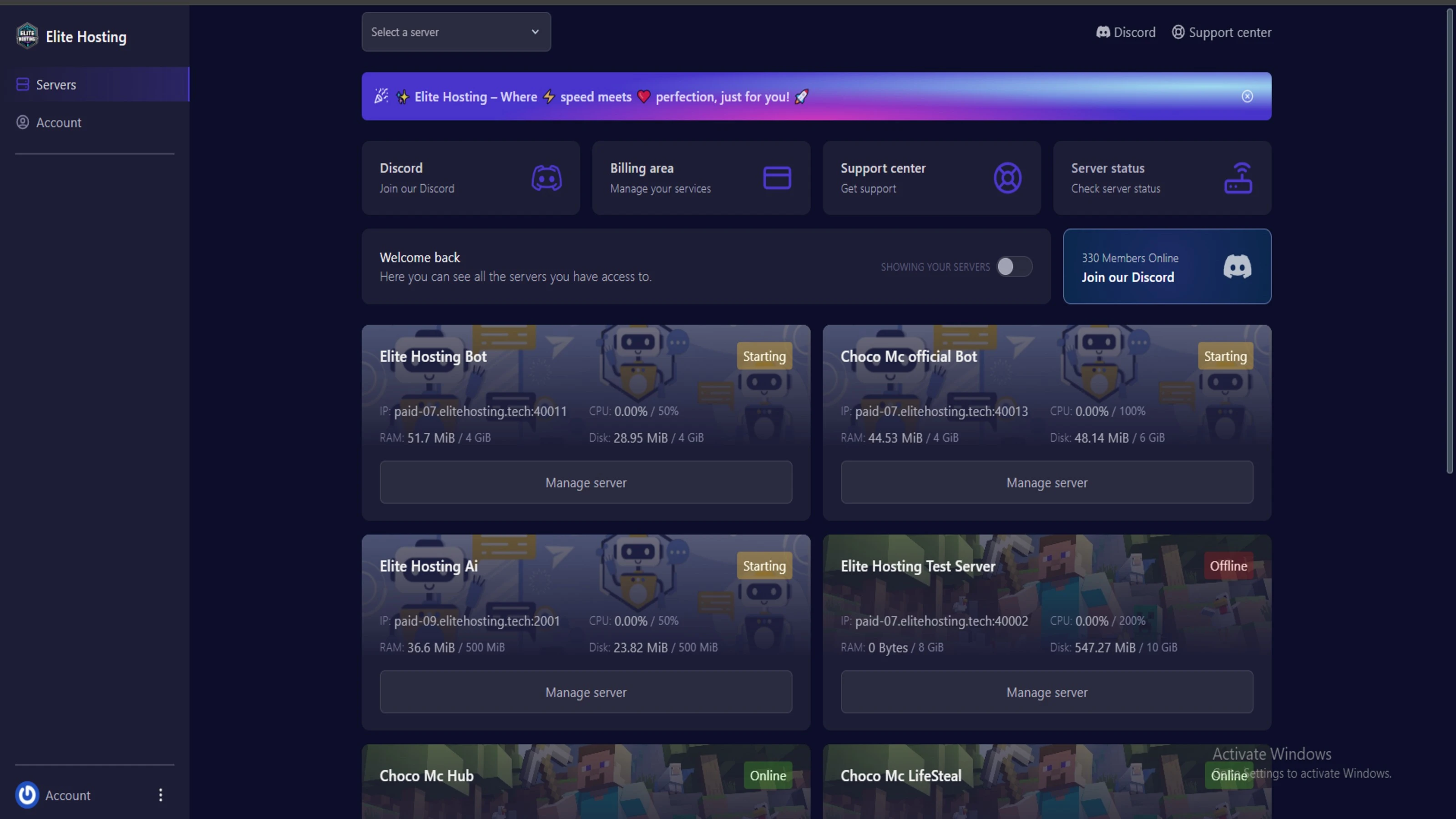
We use Pterodactyl as our premium control panel for game servers. This user-friendly and efficient platform is ideal for managing any project.
With data centers around the world, we're always close to you.

Experience Elite Hosting Control Panel
Pterodactyl is the premium panel used by us to control gaming services, offering our clients a user-friendly and efficient platform.
Frequently Asked Questions
Got questions? Check out these FAQs from our latest customers. If you need further assistance, explore our knowledge base or reach out to our support team.
We offer lightning-fast servers, 99.5% uptime, and low-latency connections with Global Location — ensuring smooth performance for your games and projects. Our platform is optimized for gamers, developers, and creators who demand speed, reliability, and scalability.
All our servers are deployed instantly after payment. You can start using your server within seconds. Our automated setup ensures no waiting time — just purchase, deploy, and play.
Absolutely! You can upgrade your plan anytime without losing your data. Your files, configurations, and backups remain fully intact during the upgrade process.
Yes! We take security seriously with Anti DDoS protection, regular backups, and encrypted connections. Your data and servers are always protected, giving you complete peace of mind while you focus on your projects.
14 min read • Rohit Kushwah

15 min read • Rohit Kushwah
16 min read • Rohit Kushwah
Choose which cookies you want to allow. You can change these settings at any time.